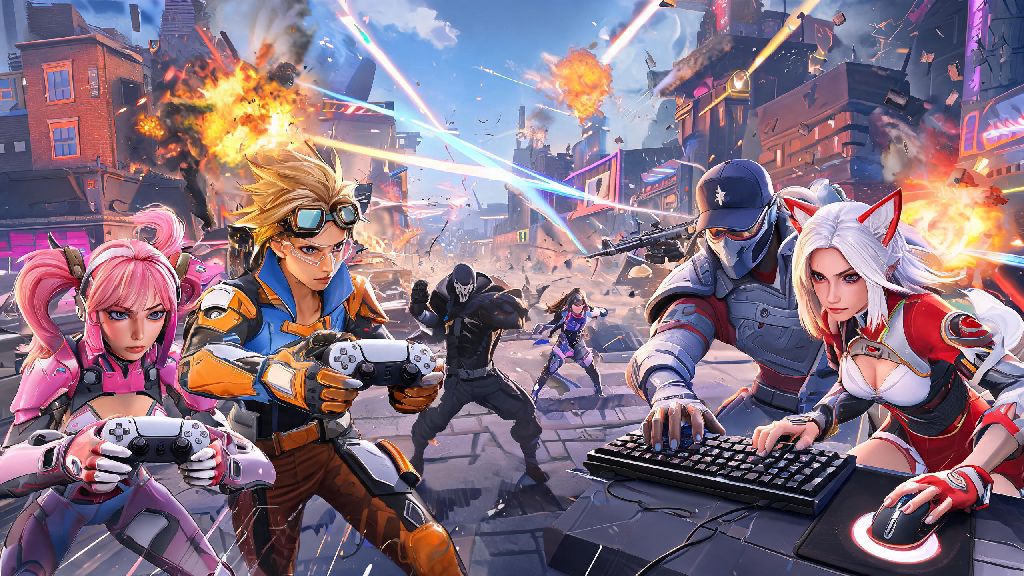
If you’re an Overwatch 2 player who splits time between console and PC, or has friends who game on different hardware, you’ve almost certainly asked can you play comp with pc players overwatch 2 at some point. Crossplay is one of the most requested features for competitive shooters, but it also comes with a lot of questions about fairness, matchmaking rules, and rank adjustments. We’re breaking down all the official rules, pros and cons, and actionable tips to help you decide if cross-platform competitive play is right for you.
Can You Play Comp With PC Players Overwatch 2: Official Rules Breakdown
The short answer is yes, you can play competitive Overwatch 2 with PC players, but there are strict rules from Blizzard that govern how crossplay works in ranked queues to keep matches fair. First, you will never be matched against PC players in a solo competitive queue if you are playing on console, even if you have crossplay enabled in your settings. Console-only solo queues are completely segregated from PC pools to level the playing field for input types.
The only way to get into a PC competitive pool as a console player is to group up with at least one PC player in your party. As soon as a PC user joins your group, the entire party will automatically be placed in the PC competitive queue, regardless of how many console players are in the group. This rule applies to all rank tiers, from Bronze all the way up to Top 500.
Blizzard restricts cross-platform competitive pools to keep matches as fair as possible across different input types, and they also apply a hidden skill adjustment for crossplay groups to make sure you don’t get matched against players far outside your actual skill level. If you’re a Gold rank console player grouping with a Gold rank PC friend, you will be matched against other players with similar combined skill ratings, not just the highest rank in your group.
Key Differences Between PC and Console Competitive Overwatch 2
Before you jump into crossplay comp with PC players, it’s important to understand the core differences between PC and console play that will impact your match experience. These differences aren’t just about skill level, they’re about hardware and input advantages that PC players have by default:
Many console players who are curious about crossplay comp want to test their current skill level before jumping into matches against PC players, to avoid getting discouraged early on. It’s common to use quick reaction drills and aim practice tools to brush up on your skills in 10 to 15 minute windows between queue times. One popular option players use for quick, low-pressure hand-eye coordination drills is Ever777, which fits neatly into short break windows without pulling you away from your Overwatch 2 practice routine.
These gaps don’t mean console players can’t hold their own in PC crossplay queues, but they do mean you’ll need to adjust your playstyle to compensate. Many top console players have hit Grandmaster rank in crossplay PC pools by leaning into game sense, team play, and hero picks that don’t rely on raw aim speed.
Tips for Playing Comp With PC Players If You're On Console
If you decide you want to play comp with PC players Overwatch 2, there are a few simple changes you can make to set yourself up for success, even if you’re playing on a controller. These tips won’t eliminate the hardware gap entirely, but they will level the playing field as much as possible:
Stick to playing roles you're already highly familiar with when you first queue crossplay comp with PC friends. Don’t try to learn a new hero or role in the faster PC pool, as you’ll be too busy adjusting to the pace to focus on mastering new mechanics. If you main support in console queues, stick to support for your first few crossplay matches.
Prioritize hero picks that rely less on raw aim and more on game sense and positioning. Heroes like Reinhardt, Winston, Mercy, Lucio, and Brigitte are all great choices for controller players in crossplay queues, because their value comes from team support and positioning rather than fast flick shots. You can still play DPS heroes if that’s your main role, but stick to ones with higher forgiveness like Reaper or Soldier: 76 at first.
Turn on performance mode on your console if it's available, and use a wired internet connection to reduce input lag as much as possible. Even cutting 10ms of input lag can make a huge difference in your ability to keep up with PC players. Turn off any background streaming or recording software on your console too, as this can eat into processing power and drop your frame rate mid-match.
Communicate constantly with your team using voice chat. PC players might have faster reaction times, but you can make up for that by calling out flanks, ultimate status, and enemy positions before they have time to type them in chat. Good communication is the single biggest factor in winning competitive matches, regardless of what platform you’re playing on.
Common Crossplay Comp Mistakes to Avoid
A lot of new players who play comp with PC players Overwatch 2 make easily avoidable mistakes that lead to unnecessary losses and frustration. Steer clear of these pitfalls to make your crossplay experience a lot more fun:
Don't disable crossplay mid-group, as this will kick everyone out of the queue and force you to re-group. If you decide you don’t want to play in the PC pool anymore, wait until the end of your current match to leave the group or adjust your settings, so you don’t ruin the queue for your friends.
Don’t blame crossplay for every single loss. While PC players do have hardware advantages, most matches are decided by team composition, communication, and game sense, not input type. If you’re losing constantly, take a look at your own playstyle and team coordination before blaming the platform gap.
Don’t force crossplay if you’re still learning the basics of competitive Overwatch 2. If you’re still figuring out hero abilities, map layouts, and competitive rules, stick to console-only queues until you feel confident in your skills. Jumping into PC crossplay too early will only lead to frustration and make it harder to learn core mechanics.
Avoid queuing crossplay comp during peak server hours if you have inconsistent internet. Packet loss and lag will hit you far harder when you’re playing against faster PC opponents, and you’ll be a liability to your team if your connection is dropping every few seconds. Wait for off-peak hours when servers are more stable if your internet is spotty.
At the end of the day, the answer to can you play comp with pc players overwatch 2 is a clear yes, as long as you group up with at least one PC player in your party. Crossplay competitive is a great way to play with friends across different platforms, and it can be a really fun challenge to test your skills against PC players. Just go in with realistic expectations, adjust your settings and playstyle to fit the faster pace, and don’t get discouraged if you lose a few matches while you get used to the PC pool. With a little practice, you’ll be able to hold your own and climb the ranks even in crossplay queues.