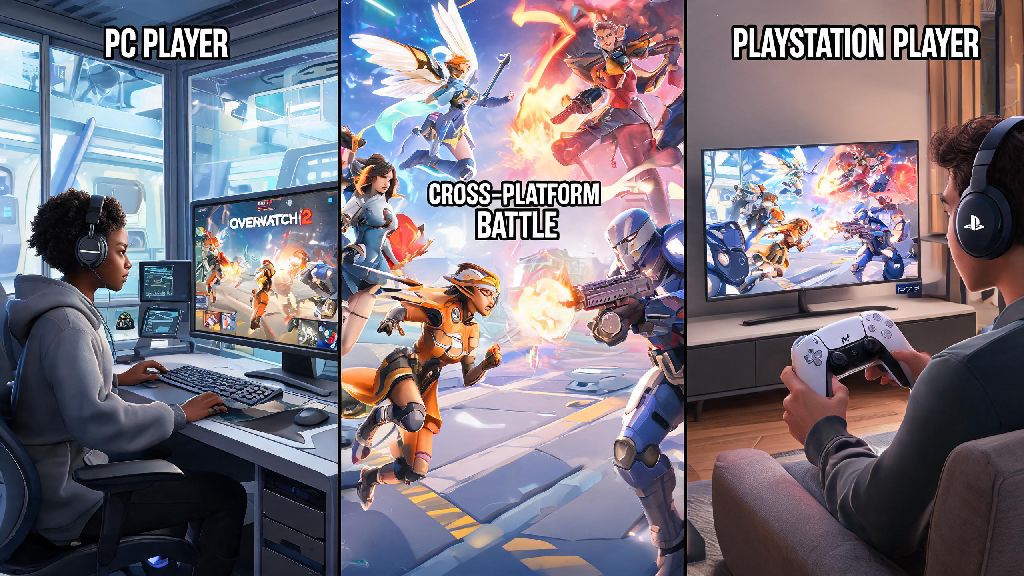
If you’ve ever logged on to Overwatch 2 ready to queue for a quick play match only to realize half your friend group is on PC and the other half on PlayStation, you’ve probably asked can you play cross platform Overwatch 2 without running into annoying roadblocks. Crossplay has become a standard for most modern competitive shooters, but every game handles it a little differently, and Overwatch 2 is no exception. I’ve spent hundreds of hours playing across PC, Xbox, and Switch with friends spread across every platform, so I’ve worked through every quirk of the crossplay system first hand. This guide breaks down exactly how crossplay works in Overwatch 2, what limitations you might run into, and how to make sure your matches run smoothly no matter what device you’re using.
Can You Play Cross Platform Overwatch 2 Across All Devices?
The short answer is yes, crossplay is fully enabled for almost all Overwatch 2 game modes by default. You can team up with or play against players on PC, PlayStation 4, PlayStation 5, Xbox One, Xbox Series X/S, and Nintendo Switch with no extra hoops to jump through for most casual playlists. That said, there are a few exceptions you need to know about before you send out those party invites.
First, cross-progression is tied to your Battle.net account, so if you want to carry over your skins, rank, and unlocks across devices, you’ll need to link all your console accounts to the same Battle.net profile first. You don’t need to link accounts just to play cross-platform with friends, but it’s highly recommended if you ever switch between devices yourself.
The only major mode that doesn’t support full crossplay is the top 500 competitive leaderboard, which splits players into separate pools for console-only and PC-only players to keep ranking fair. We’ll get more into that rank split later on, so you know exactly what to expect if you’re grinding for a top 500 spot.
How to Set Up Crossplay for Overwatch 2 With Your Friends
Setting up a cross-platform party is way simpler than most players think, even if you’ve never done it before. You don’t need any special subscriptions outside of the standard console online memberships required for online play on PlayStation, Xbox, or Switch. Follow these quick steps to get your party going:
One common mistake I see new players make is trying to add friends through their console’s native friends list instead of the in-game Battle.net list. That won’t work for cross-platform invites, so always stick to the in-game social menu for crossplay parties. You’ll see a small icon next to each friend’s name showing what platform they’re playing on, so you can easily tell who’s on PC, console, or mobile if they’re using the cloud streaming version.
If you don’t see your friend on your list, double check that you typed their Battle.net tag correctly, including capitalization and the number suffix. Even one wrong character will mean the invite doesn’t go through, and that’s the most common issue people run into when setting up crossplay for the first time.
Key Crossplay Limitations and Fairness Rules You Should Know
While crossplay works great for most playlists, there are a few rules in place to keep matches fair for everyone, no matter what input method they’re using. The biggest one is the input-based matchmaking split for competitive play. If you’re playing on console with a controller, you’ll only be matched with other controller players, even if you have crossplay enabled. If you plug a mouse and keyboard into your console, you’ll be moved into the PC matchmaking pool automatically to avoid giving controller players an unfair disadvantage.
That means if you have one PC player in your group, the entire party will be placed into the PC matchmaking pool, even if everyone else is on console using a controller. That’s something to keep in mind if you’re playing competitive, since PC players tend to have faster reaction times and more precise aim with mouse and keyboard. If you’re just playing for fun with friends, it usually doesn’t make a big difference, but it’s worth noting if you’re trying to climb the competitive ranks.
You can disable crossplay entirely in your settings if you only want to play with other people on the same console family as you, but that will usually lead to longer queue times, especially for less popular playlists like Mystery Heroes or Competitive Open Queue. Another small limitation is that some platform-specific skins won’t show up for players on other devices, but that’s only a cosmetic issue and doesn’t impact gameplay at all.
Fixing Common Crossplay Issues in Overwatch 2
Even when everything is set up correctly, you might run into a few small issues when playing cross-platform with friends. I’ve dealt with all of these at one point or another, so these fixes work 9 times out of 10. First, if you can’t join a friend’s party, make sure all of you have the latest game update installed. Overwatch 2 pushes small updates every few weeks, and if one person is on an older version of the game, cross-play invites won’t work.
If invites are going through but you keep getting kicked from the party as soon as you join, have the party leader disband the party and make a new one. That’s a common glitch that pops up after major patches, and it’s usually fixed in a minute or two with a new party. You don’t need to restart the game or anything drastic, just make a new party and send out fresh invites.
If you’re noticing way higher ping than usual when playing with cross-platform friends, check that your party leader is located in the same general region as everyone else. The match server is always based on the party leader’s location, so if your leader is in another country, you’ll all get higher ping than usual. You can turn on the server region display in your settings to confirm which server you’re connected to if you suspect ping is causing lag issues.
For competitive players, if you’re confused why you’re not showing up on the top 500 leaderboard even though your rank is high enough, remember that top 500 is split into separate pools for PC, console controller, and console mouse and keyboard players. You have to play at least 50 matches in the relevant pool to qualify for the leaderboard, so make sure you’re hitting that threshold if you want to earn your top 500 spray and title.
At the end of the day, if you were asking can you play cross platform Overwatch 2 with your friends no matter what device they use, the answer is a resounding yes for almost all game modes. The crossplay system is well-built, easy to set up, and only has a small number of limitations designed to keep matches fair for everyone. Don’t let worries about crossplay issues stop you from queuing up with your friends, even if you’re all on different devices. A quick double check of your Battle.net friend list and game settings is usually all you need to get a party going and start climbing the ranks, or just messing around in quick play. If you do run into issues, the fixes we covered here will get you back in game in no time.