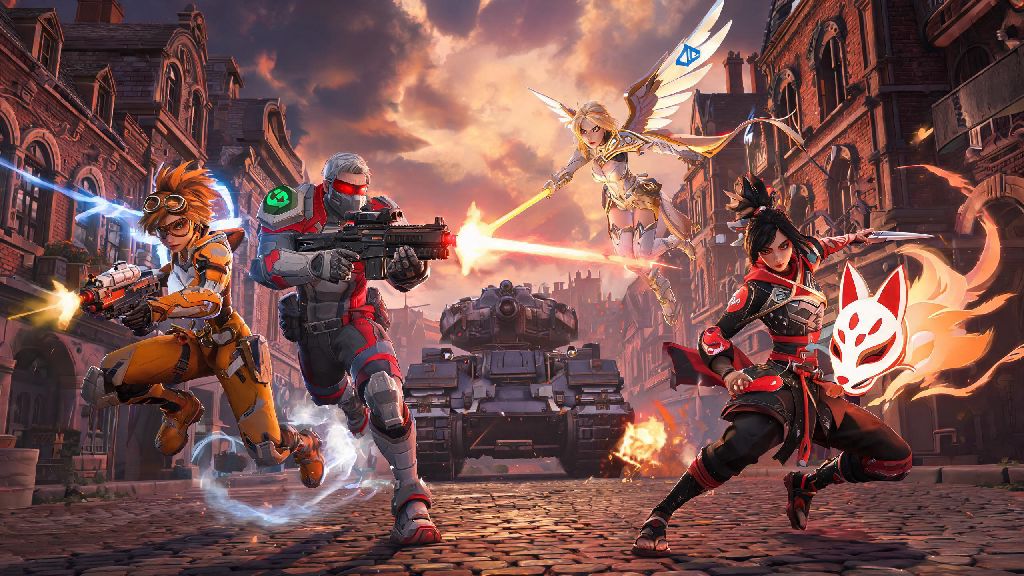
If you’ve ever logged off your PC after a long Overwatch 2 session and wanted to keep climbing the ranked ladder with your console friends later that night, you’ve probably asked can you cross play Overwatch 2 competitive. Crossplay has been a standard feature for most modern multiplayer games, but Blizzard has always had specific rules for ranked play to keep matches fair for all players. I’ve tested crossplay across every platform over the past year, both in quick play and competitive, so I can break down exactly what’s allowed, what isn’t, and how to make the most of cross-platform play if you’re focused on climbing ranks.
Can You Cross Play Overwatch 2 Competitive? Official Rules & Restrictions
The short answer is yes, crossplay is fully supported for Overwatch 2 competitive play across all platforms, including PC, Xbox, PlayStation, and Nintendo Switch. But there are a handful of core rules designed to keep matches fair, and understanding them will save you a lot of frustration when you queue up.
Input-based matchmaking (IBMM) is the core system that shapes competitive crossplay lobbies. Instead of grouping players purely by platform, the matchmaker sorts players by their control scheme first. Mouse and keyboard players are almost always matched with other mouse and keyboard players, and controller players are matched with other controller players, even if they are on different platforms. This eliminates the inherent aim advantage mouse and keyboard players have in fast-paced shooters like Overwatch 2.
If you group with players who use a different control scheme than you, your entire group will be placed in the higher-skill input queue. For example, if you’re a controller player on Xbox queuing with a mouse and keyboard friend on PC, you’ll be placed in the mouse and keyboard competitive pool. You cannot disable crossplay for competitive if you are on PC, Xbox, or PlayStation. Only Nintendo Switch players have the option to opt out of crossplay entirely for all game modes, as the platform’s lower performance can put Switch players at a disadvantage against users on more powerful hardware.
Key Pros and Cons of Using Cross Play for Overwatch 2 Competitive
Crossplay isn’t for everyone, and it’s worth weighing the benefits and drawbacks before you jump into ranked lobbies with cross-platform players. Many players assume cross play for Overwatch 2 competitive will put them at an automatic disadvantage, but that’s only true if you’re mismatched on input type.
The biggest benefits of enabling competitive crossplay include:
There are also notable downsides to keep in mind. Input mismatch risks if you group with players on different control schemes are the most significant, as we mentioned earlier. Even if you’re a very skilled controller player, you’ll struggle to keep up with mouse and keyboard players on hitscan heroes like Widowmaker or Tracer. You may also run into higher ping lobbies if the matchmaker pulls players from nearby regions to fill out your lobby, though Blizzard prioritizes same-region matches first whenever possible. Some players also report higher rates of toxic behavior in crossplay lobbies, though this varies far more by rank than it does by platform.
How to Set Up Cross Play for Overwatch 2 Competitive Matches
Getting crossplay set up for competitive play is far simpler than most players expect, and you may already have it enabled without realizing it. Crossplay is turned on by default for all Overwatch 2 players, but there’s one mandatory step you have to complete before you can access cross-platform competitive lobbies.
Linking your console account to Battle.net is required to access crossplay features, including competitive crossplay. If you play on Xbox, PlayStation, or Switch, you’ll be prompted to link your account the first time you launch Overwatch 2, but you can also do it manually through the Battle.net website if you skipped that step earlier. Once your account is linked, you’ll be able to jump straight into cross play Overwatch 2 competitive lobbies without any extra steps.
If you’re a Nintendo Switch player who wants to opt out of crossplay, you can find the toggle in the game’s gameplay settings menu. Keep in mind that turning off crossplay will drastically increase your queue times, especially for ranks above Platinum, since the Switch player pool for competitive Overwatch 2 is much smaller than the pool for other platforms. To add cross-platform friends to your group, you just need to search for their full Battle.net tag (including the numbers at the end) and send them a friend request, no matter what platform they play on.
Tips to Stay Competitive in Cross Play Overwatch 2 Lobbies
If you decide to use crossplay for your competitive matches, there are a few simple adjustments you can make to avoid common pitfalls and climb ranks faster. These tips come from hundreds of crossplay competitive matches I’ve played across PC, PlayStation, and Switch over the past year.
Stick to queues that match your input type if your main goal is to climb ranks as quickly as possible. It can be fun to queue with friends on different control schemes for casual matches, but you’ll be at a permanent disadvantage if you do it for ranked play. If you do want to play with friends on a different input, consider sticking to quick play or arcade modes instead, where the stakes are lower.
You can also adjust your matchmaking settings to prioritize same-region matches first, which will cut down on ping issues that can make competitive matches feel unplayable. If you play on Switch, test both crossplay and non-crossplay lobbies for a few matches each to see which feels more fair for your playstyle. The 30fps cap on Switch can make it harder to track fast-moving heroes against players on 60fps or 120fps platforms, so opting out of crossplay may help you climb faster even with longer queue times. Finally, take advantage of cross-progression, which lets you carry over your competitive rank, skins, and unlocks across all platforms linked to your Battle.net account. I regularly switch between my PC and PlayStation when I travel, and my rank stays consistent across both, which makes it easy to keep playing with friends no matter where I am.
At the end of the day, the answer to can you cross play Overwatch 2 competitive is a clear yes, as long as you follow Blizzard’s input and account linking rules. Whether you choose to use crossplay or not depends entirely on your goals: if you want to play with friends across platforms or cut down on queue times, it’s a fantastic feature, but if you’re focused on climbing ranks as efficiently as possible, you may want to stick to same-input queues. Take the time to test both options for a few matches, and you’ll quickly find the setup that works best for your playstyle.