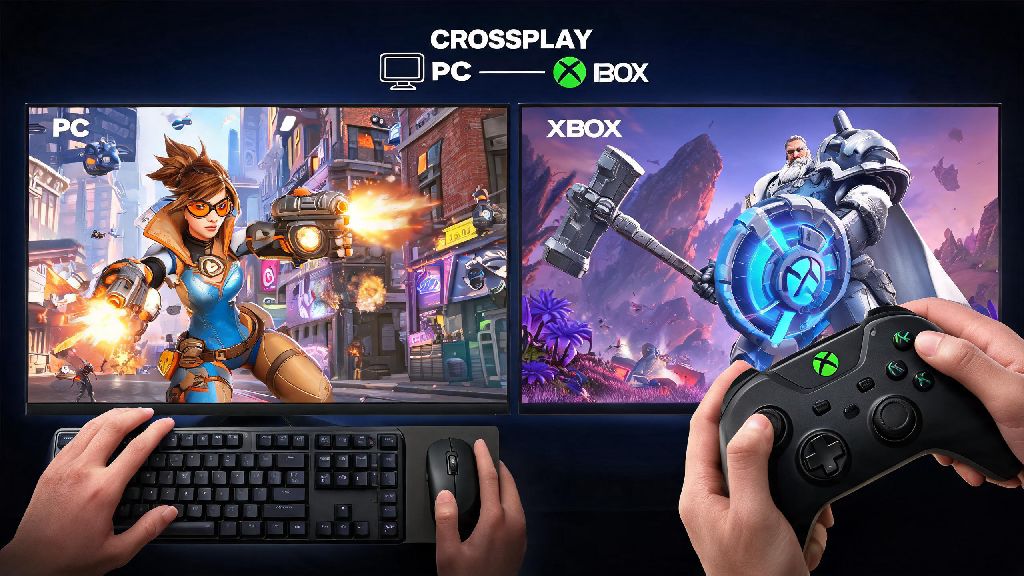
If you’ve ever queued for Overwatch with a friend who owns a different console, you’ve probably wondered can pc play with xbox on overwatch at some point. I’ve been there too—my roommate plays on Xbox Series S, I run Overwatch on my custom PC, and we spent way too long digging through settings before we could queue for quick play together earlier this year. Crossplay is one of the most requested features for team-based multiplayer games, and Overwatch has adjusted its system a lot since it first launched to make cross-platform play as smooth as possible. This guide breaks down everything you need to know to connect with friends across devices, avoid common frustrations, and play fairly no matter what hardware you’re using.
Can PC Play With Xbox on Overwatch? Official Crossplay Rules
The short answer is yes, PC and Xbox players can group up and play together in almost all game modes. Blizzard rolled out full crossplay support for all platform combinations back when Overwatch 2 launched, and it works for Xbox One, Xbox Series X/S, and all Windows PC versions of the game, whether you own it on Battle.net or Steam. If you’ve been asking can pc play with xbox on overwatch because you want to climb competitive ranks together, you’ll need to be aware of one key rule to avoid confusion when you queue.
Crossplay is disabled for ranked competitive play by default if you’re grouping across PC and console platforms. That means if you want to climb the competitive ranks with an Xbox friend, you’ll have to queue into the PC competitive pool, not the console pool. This rule exists to keep matches fair for console-only players, who usually play with controller and don’t have the same accuracy advantage as mouse and keyboard users on PC. You don’t need any paid upgrades or special access to use crossplay, other than the standard Xbox Live Gold subscription required for online play on Xbox consoles.
How to Set Up Crossplay Between PC and Xbox for Overwatch
The setup process only takes a few minutes if you have all your account details handy. I’ve walked at least three friends through this process, and most people run into issues only if they have an old Battle.net account linked to an email they no longer use. Follow these simple steps to get connected:
If you still can’t see your friend after following these steps, try restarting both your game and your router first. I’ve had this happen twice when my friend’s Xbox was running an outdated version of Overwatch, so make sure both copies of the game are updated to the latest patch too. You don’t need to adjust any privacy settings on your Xbox unless you’ve previously blocked all cross-platform interactions in your system settings.
Key Differences to Know When Playing PC vs Xbox Overwatch Together
It’s no secret that PC and Xbox play feel very different, and that can lead to frustration if you don’t know what to expect going into a crossplay group. I’ve played on both platforms, so I can tell you the gaps aren’t as big as some people make them out to be, but they are worth noting. Mouse and keyboard input gives PC players a noticeable accuracy advantage for hitscan heroes like Soldier: 76, Widowmaker, and Tracer. That’s the main reason cross-platform competitive groups are put into the PC ranked pool, to avoid putting console-only players at a disadvantage against PC players.
Xbox players have access to aim assist for all controller users, which is disabled for PC players even if they use a controller on PC. That evens the playing field a bit for support and tank heroes that rely less on pinpoint accuracy, like Reinhardt or Brigitte. Load times are almost always faster on PC, especially if you’re running the game on an SSD, so you might end up waiting 10-15 seconds for your Xbox friends to load into the match start screen. Cheaters are far less common on Xbox than on PC, but Blizzard’s anti-cheat system works across both platforms for crossplay lobbies, so you don’t have to worry about more hackers when you play cross-platform.
Tips to Make PC and Xbox Overwatch Crossplay More Fun for Everyone
Crossplay works best when everyone in the group adjusts their expectations a little to account for platform differences. I play with a mix of PC and Xbox friends every weekend, and we’ve landed on a few rules that make our sessions way more enjoyable for everyone. First, swap hero roles to play to each platform’s strengths if you’re playing more serious matches. Let your PC friends play hitscan damage heroes, and let your Xbox friends play tanks or support heroes that benefit more from aim assist, like Lucio or Reinhardt. Turn on cross-platform voice chat in your audio settings to make coordinating with your group easier, since in-game chat works across all platforms.
Avoid mocking players for lower accuracy if they’re on controller—even the best controller players can’t keep up with a decent mouse and keyboard user on Widowmaker, and that’s not a reflection of their skill. If you’re playing quick play or arcade modes, don’t take matches too seriously. Crossplay is meant to let you play with friends, not grind for perfect win rates. If you run into consistent lag or connection issues, have the group host switch to the person with the fastest internet connection, or avoid playing during peak hours when local internet traffic is high. If you’re an Xbox player who wants to compete with PC friends more evenly, you can always connect a mouse and keyboard to your Xbox—Overwatch supports native mouse and keyboard input on Xbox, so you can level the playing field without buying a whole new PC.
At the end of the day, the answer to can pc play with xbox on overwatch is a resounding yes, and the setup process is far simpler than it was just a few years ago. Whether you’re playing quick play for fun with friends or testing your skills in cross-platform competitive lobbies, the crossplay system works well enough that you barely notice the platform differences after a few matches. Just remember to adjust your expectations, follow the setup steps correctly, and prioritize having fun over winning every match, and you’ll have a great time playing across devices with your friends.