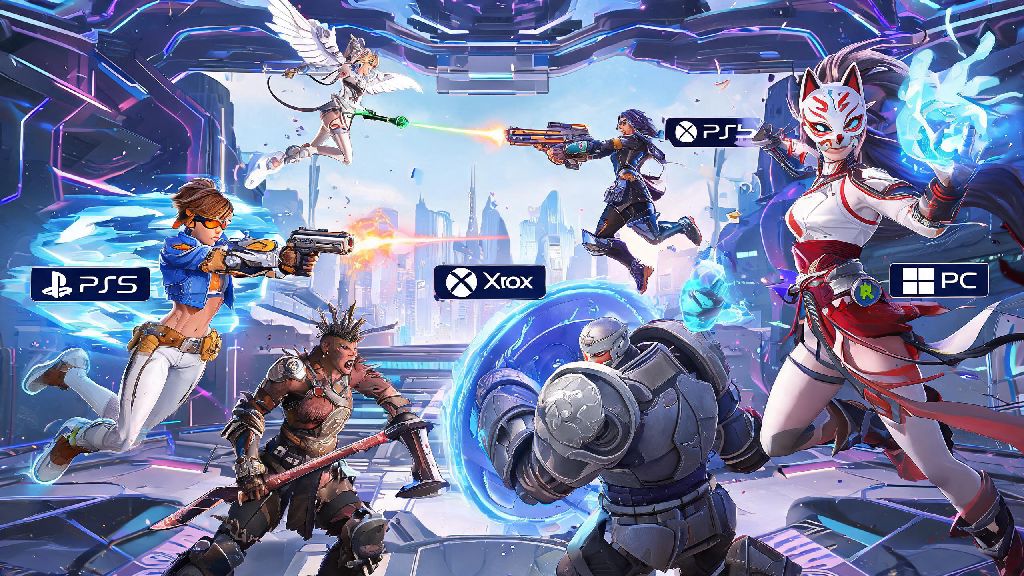
If you’ve ever logged into Overwatch 2 ready to grind ranked only to realize your regular squad is split between PlayStation, Xbox, and PC, you’ve almost certainly asked can you cross play ranked Overwatch 2 without running into restrictions or penalties. Cross play has made casual play far more accessible for friend groups across different platforms, but competitive modes usually come with extra rules to keep matches fair for everyone. It’s easy to assume ranked works the same as quick play, but Blizzard has put specific guardrails in place to stop unfair matchups that ruin the competitive integrity of the mode. I’ve seen plenty of groups waste 20 minutes trying to queue for ranked together only to hit a block they didn’t see coming, so this guide breaks down exactly what’s allowed, what isn’t, and how to make cross play work for your squad.
Can You Cross Play Ranked Overwatch 2? The Short Answer
The short answer is yes, but with specific restrictions tied to platform pools and input types. Unlike quick play, which lets any combination of platforms queue together, ranked mode splits players into two core pools to avoid unfair advantages. Console players on Xbox, PlayStation, and Nintendo Switch can all queue for ranked together with no extra hoops to jump through, as long as they meet skill tier requirements. PC players can only queue for ranked with other PC players by default, though there is an exception for mixed platform groups that we’ll cover later. Cross play for ranked Overwatch 2 is only allowed between players in the same platform pool, so you won’t ever be randomly matched against a PC player if you’re queuing solo on console.
That doesn’t mean you can never play ranked with friends on different platform types, but you will have to accept some tradeoffs if you choose to mix PC and console players in your group. Many players assume this restriction is arbitrary, but it’s designed to prevent mouse and keyboard players from having an unfair advantage over controller players, especially in high-skill rank tiers where reaction time makes a huge difference in match outcomes.
Key Cross Play Rules for Overwatch 2 Ranked Queues
Before you try to queue for ranked with a cross platform group, there are a few hard rules you need to know to avoid getting blocked or pushed into a pool you’re not prepared for. These rules apply to all competitive modes, including open queue, role queue, and competitive mystery heroes, so you don’t have to memorize separate rules for different game types.
Input-based matchmaking is active for all ranked queues, so even if you’re a controller player on PC, you can toggle a setting to queue against other controller players instead of mouse and keyboard users. That said, if you group with a mouse and keyboard player on PC, you will be pushed into the mouse and keyboard pool regardless of your input type. You will not be able to join a ranked group if you are outside the allowed skill tier range, so make sure all players in your squad are within Bronze to Silver, Gold to Platinum, Diamond to Master, or Grandmaster and Top 500 tiers before you try to queue.
Pros and Cons of Using Cross Play for Overwatch 2 Ranked
Cross play for ranked has some clear benefits, but it’s not the right choice for every group, especially if you’re focused on climbing the rank ladder as quickly as possible. The biggest upside for most console players is significantly shorter queue times, especially for higher rank tiers where the player pool on a single console might be very small. I play on Switch, and before I enabled cross play, I regularly waited 10+ minutes for a Diamond ranked queue, but with cross play turned on, that wait time drops to 2 minutes or less on most days. Cross play also lets you play with friends who own different console brands, which is perfect if half your squad is on PlayStation and the other half is on Xbox.
There are downsides too, especially if you’re mixing PC and console players in your group. Console players who group with PC friends will face almost exclusively mouse and keyboard opponents, which can be a steep difficulty jump if you’re not used to playing against faster reaction times and more precise aim. You may also run into higher ping if you’re playing with friends from different regions, which can make it harder to hit shots or use abilities at the right time. Some players also report occasional cross platform voice chat glitches, though Blizzard has rolled out multiple updates to fix those issues over the last year.
For most casual groups who just want to play ranked together, the pros outweigh the cons, but if you’re grinding to hit a new rank tier, you may want to stick to queuing with players on the same platform type as you to avoid unnecessary disadvantages.
Tips to Make Cross Play Ranked Overwatch 2 Work for Your Group
If you’ve decided to use cross play for your ranked games, there are a few simple steps you can take to make the experience smoother and avoid wasting SR on avoidable mistakes. First, double check that all players in your group have cross play enabled in their settings. It’s turned on by default for most players, but some people turn it off to avoid playing against other console platforms, so it’s worth confirming before you try to queue. If any player has cross play disabled, you won’t be able to form a cross platform group at all.
Always test cross play group dynamics in quick play first before risking your ranked SR. This is especially important if you’re a console player grouping with PC friends for the first time, as the difference in opponent skill level can be shocking if you’ve only ever queued against other controller players. Run 2 or 3 quick play matches first to see if everyone is comfortable with the pool you’re in, and adjust your group composition or settings if you’re getting crushed repeatedly.
You should also make sure all players in your group have their region set to the same location to avoid high ping. Even a 30ms ping difference can make a huge difference in ranked matches, so it’s better to all queue in the same region even if it means a slightly longer wait time. If you’re a controller player on PC, don’t forget to toggle the input-based matchmaking setting if you want to queue against other controller players when you’re playing solo. It will cut down on unfair matchups and make climbing far less frustrating.
At the end of the day, the answer to can you cross play ranked Overwatch 2 depends entirely on what platforms you and your squad are using, and what tradeoffs you’re willing to make for the chance to play together. As long as you follow the platform pool rules, stay within the allowed skill tier range, and test your group in casual play first, you’ll be able to avoid most common pitfalls and enjoy competitive play with your friends no matter what device they own. If you run into unexpected restrictions, you can always check the in-game patch notes for any seasonal adjustments to cross play rules, as Blizzard occasionally tweaks these settings based on player feedback.