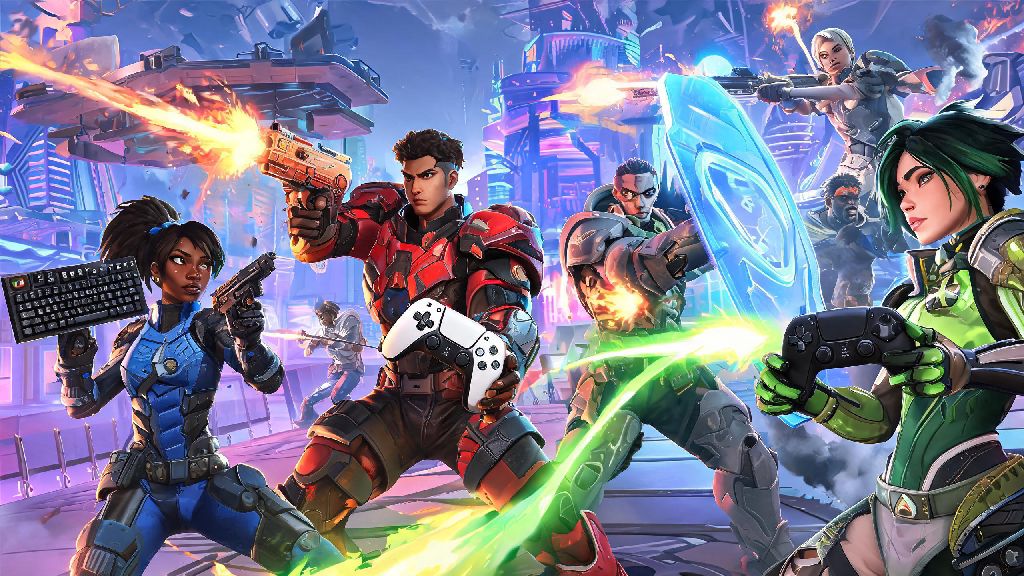
If you’re a new Overwatch 2 player, one of the first questions you probably have when you log on is whether you can team up with friends who own the game on a different system. I’ve been playing Overwatch since the original launch, and I get this question at least once a week from people who just picked up the game on Steam but have a whole group on Xbox or PlayStation. To cut straight to the point: can pc play with console Overwatch 2? Yes, but there are a few key rules and limitations you need to know before you queue up together. This guide breaks down every part of crossplay functionality, from matchmaking rules to tips for keeping games fair no matter what platform your group is using.
Can PC Play With Console Overwatch 2? Crossplay Core Rules
Blizzard rolled out full crossplay support for Overwatch 2 across all platforms shortly after launch, and it’s turned on by default for every new account. You don’t have to download any extra mods or change any settings to access it, as long as you have a linked Battle.net account (which is required to play the game on any platform, including consoles). Crossplay is automatically enabled for all non-competitive game modes, so you can hop into a quick play match with friends on PC, PlayStation, Xbox, or Switch right after you add each other on Battle.net.
The only major restriction is for competitive play, which has separate rules to keep ranked matches as fair as possible. You can only play competitive crossplay if you’re queuing as part of a pre-made group with players from other platforms. If you queue for competitive alone, you’ll only be matched with players using the same input type as you, regardless of platform. That means if you’re a mouse and keyboard player on PC, you won’t get matched with solo controller players on console, even if crossplay is turned on.
How Input-Based Matchmaking Shapes Crossplay Lobbies
One of the biggest concerns players have about crossplay is the inherent advantage mouse and keyboard has over controller for fast-paced FPS games like Overwatch 2. To address this, Blizzard built an input-based matchmaking system that prioritizes matching players with others using the same control method, rather than matching based solely on platform. Controller players on PC will be matched with console controller players more often, even if they’re on a PC, because the system tracks your input type first and platform second.
Your MMR (matchmaking rating) is also tracked separately per input type, so if you switch between mouse and keyboard and controller on the same account, you won’t throw off your rank for either control method. The system only uses your MMR for the input you’re currently using to build lobbies, so you won’t get matched with top-tier mouse and keyboard players if you’re just learning to use controller on PC.
Not all game modes follow the same matchmaking rules, though. Here’s a quick breakdown of which modes support full crossplay right now:
Solo competitive queue players are restricted to their input group by default, so you never have to worry about facing off against a team of mouse and keyboard sweats if you’re queuing ranked alone on your PS5. That rule is one of the most commonly misunderstood parts of Overwatch 2 crossplay, and it’s designed to stop unfair mismatches before they happen.
Pros and Cons of PC and Console Crossplay for Overwatch 2
Crossplay is one of the best additions to Overwatch 2 for most casual players, but it’s not perfect for every playstyle. Let’s start with the good parts first. The biggest benefit by far is that you don’t have to buy the game on multiple platforms to play with all your friends. I have friends who play on Xbox, Switch, and PC, and crossplay means we can all queue up together without anyone having to spend extra money on a new copy of the game. Larger player pools also mean shorter queue times, especially for less popular modes like Capture the Flag or No Limits, which can have 10+ minute wait times if you’re only queuing with players on your own platform.
There are downsides too, though. If you’re a console player queuing with a PC friend who uses mouse and keyboard, you’ll be placed in lobbies that have a higher percentage of mouse and keyboard players, which can feel overwhelming if you’re used to only playing against other controller users. Console players can turn on aim assist in crossplay lobbies, but it’s tuned to be less aggressive than in console-only lobbies, so you won’t get the same level of aim help you’re used to when playing against other console players.
From my own experience, the gap between mouse and keyboard and controller is way smaller for support and tank heroes than it is for DPS. If you main Mercy, Lucio, or Reinhardt, you probably won’t notice much of a difference between crossplay lobbies and console-only lobbies. If you main a high-skill DPS hero like Widowmaker or Tracer, you might find yourself getting out-aimed more often by mouse and keyboard players until you adjust your playstyle.
Actionable Tips to Make Crossplay Fair for Your Group
You don’t have to put up with unfair matches if you want to play crossplay between PC and console. There are a handful of small adjustments you can make to level the playing field for everyone in your group, no matter what platform they’re on. First, if you’re a PC player queuing with console friends, consider switching to controller if you’re playing DPS. It’ll make the match feel way more fair for your console friends, and you’ll still get to play together without anyone feeling like they’re at a massive disadvantage.
If you’re a console player, take 10 minutes to adjust your aim assist and sensitivity settings before you join a crossplay lobby. Default controller settings are designed for console-only play, so tweaking your aim assist strength and dead zones can help you keep up with mouse and keyboard players a lot easier. I’ve had friends who switched their aim assist strength from 70 to 90 before joining crossplay lobbies, and they said it made a night and day difference in their performance.
If you’re playing custom lobbies with friends, you can adjust the lobby rules to make things even more fair. You can turn off aim assist for PC players, boost aim assist for console players, or even restrict all players to the same input type if you want a completely even playing field. Custom lobbies have almost unlimited customization options, so you can tweak the rules to fit whatever your group prefers.
If you’re getting frustrated with crossplay mismatches, you can toggle crossplay off in your account settings at any time to only match with players on your own platform. You don’t have to keep crossplay on if you’re not enjoying it, and switching it off only takes a few clicks in the settings menu. You can always turn it back on later if you want to play with friends from other platforms again.
At the end of the day, can pc play with console Overwatch 2? Yes, and it’s designed to be as accessible and fair as possible for players of all skill levels, as long as you understand the core rules. The input-based matchmaking system stops most unfair mismatches before they happen, and there are plenty of settings you can adjust to make crossplay work for your group. Don’t let worries about platform advantages stop you from queuing up with your friends, no matter what system they play on. Some of my most memorable Overwatch 2 matches have been crossplay games with a mix of PC and console players, and the fun of playing with friends far outweighs any small disadvantages you might run into.