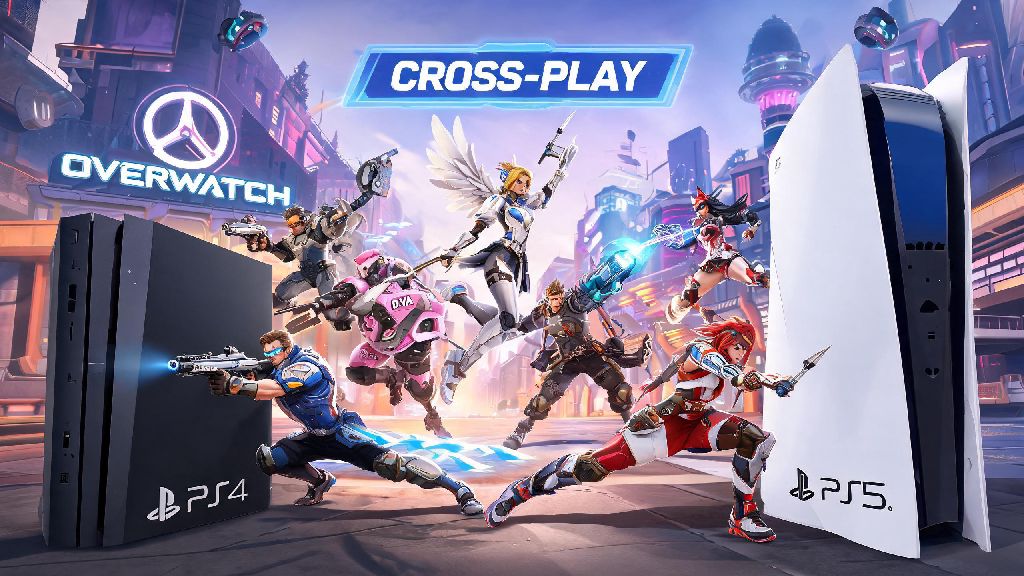
If you’ve ever logged on to Overwatch ready to squad up with a friend who’s on a different PlayStation console, the first question you’re probably asking is can PS4 and PS5 play Overwatch together. Most long-time franchise fans have held onto their PS4 for older games, or upgraded to PS5 for faster load times and smoother framerates, so crossplay compatibility is make-or-break for casual and competitive play sessions alike. I’ve tested this across both consoles for months, playing both quick play and ranked matches with friends on mixed PlayStation hardware, so I’m breaking down exactly how it works, what limitations you’ll face, and how to get your squad connected without headaches.
Can PS4 and PS5 Play Overwatch Together? Straightforward Answer
The short answer is yes, full cross-generation play between PS4 and PS5 is supported for all current versions of Overwatch, with no paid upgrades or extra downloads required for either player. This functionality was rolled out alongside the launch of Overwatch 2, and Sony removed all platform restrictions for cross-generation play for this specific title, unlike some other games that lock cross-play behind premium upgrades. You don’t have to purchase the game twice if you switch from PS4 to PS5 either, as long as you use the same PlayStation Network account for both consoles.
All Overwatch game modes, including quick play, competitive, arcade, and custom games, support cross-generation play between PS4 and PS5. The only rare exception is user-created custom games that have intentional platform-specific restrictions set by the lobby host, but these make up less than 1% of all active custom lobbies at any given time. You also won’t be locked out of seasonal events or battle pass progress when playing with friends on a different PlayStation console, as all progress is tied to your linked Battle.net account.
How to Set Up Cross-Generation Play for Overwatch on PlayStation
Getting your cross-generation squad connected only takes a few minutes, and most players won’t have to adjust any default settings to make it work. The only non-negotiable requirement is that both players have a free Battle.net account linked to their PlayStation Network account, as Overwatch uses Battle.net for all cross-platform social and matchmaking features. If you haven’t linked your accounts yet, you’ll get a prompt to do so the first time you launch Overwatch on your console.
Follow these simple steps to connect with friends on a different PlayStation console:
If you follow those three steps, you won’t run into any major blocks when figuring out can PS4 and PS5 play Overwatch together for your next group session. Crossplay is turned on by default for all PlayStation players, but if you turned it off previously to avoid PC players, you’ll need to toggle it back on to see cross-generation friends. Keep in mind that both players will need an active PlayStation Plus subscription to access online multiplayer, as is standard for all online PlayStation games. You don’t need an active Xbox Live or Nintendo Switch Online subscription if you’re only playing with other PlayStation users, though.
Key Differences Between PS4 and PS5 Overwatch Performance During Crossplay
While you can play together seamlessly, there are small performance differences between the PS4 and PS5 versions of Overwatch that are worth noting before you queue up. Lots of players worry that performance gaps will ruin the experience when they look into can PS4 and PS5 play Overwatch together, but that’s not the case at all. PS5 players get access to 120fps support on compatible 4K TVs, faster load times between rounds, and DualSense haptic feedback that mimics in-game weapon recoil and ability effects. Base PS4 players get a 900p resolution at 60fps max, while PS4 Pro players get 1080p at 60fps, with slightly longer load times than the PS5 version.
Blizzard has adjusted matchmaking and game balance to make sure these performance differences don’t create an unfair competitive advantage for PS5 players. Input lag is nearly identical across both consoles when playing on the same server, so PS5 players don’t get an edge over PS4 players in ranked matches. The only noticeable difference for most groups is that PS5 players will wait 2-3 extra seconds for PS4 players to load into the match before the round starts, which is a minor inconvenience at worst. PS5 players also have the option to download and play the PS4 version of Overwatch on their console if they want to match with a larger pool of PS4 players, but this is completely optional and not required to play with cross-generation friends.
Common Issues With PS4/PS5 Overwatch Crossplay and How to Fix Them
While cross-generation play is mostly seamless, there are a few common errors that players run into when first setting up their groups. Most of these issues have simple fixes that take less than a minute to implement, so you don’t have to scrap your play session if you hit a snag. The most common issue is not seeing a friend on your in-game social menu, even if you’re friends on PlayStation Network. This almost always happens because you haven’t added each other on Battle.net, or one of you has crossplay turned off in your game settings.
Another common issue is being placed in separate lobbies when you queue for a match together. This usually happens if one player has a competitive rank that’s outside the allowed skill tier gap for ranked play, or if you have different server regions selected in your settings. To fix this, make sure both of you have the same server region selected, and if you’re playing competitive, double-check that your ranks are within 5 skill tiers of each other. To reduce lag or disconnects during crossplay sessions, make sure both players are using a wired Ethernet connection instead of Wi-Fi, and close any background downloads on your console before starting a match. Most lag issues during cross-generation play are related to home internet connections, not the crossplay feature itself.
If you’re switching from PS4 to PS5, you might also run into issues accessing your old skins or battle pass progress. This happens if you linked a different Battle.net account to your PS5 profile, so make sure you use the same Battle.net account you used on your PS4 to carry over all your progress automatically. Never share your Battle.net or PlayStation account login details to share cosmetics or progress, as this can lead to permanent account bans from Blizzard.
At the end of the day, you don’t have to miss out on playing with your friends just because you’re on different PlayStation generations, since we’ve confirmed can PS4 and PS5 play Overwatch together with almost no restrictions. The setup process takes less than five minutes if you already have your Battle.net account linked, and the minor performance differences between consoles have no real impact on how much fun you’ll have playing together. If you run into any snags getting your group connected, double-check the troubleshooting tips we covered earlier, and you’ll be in a match in no time. Whether you’re grinding for a higher competitive rank, messing around in arcade modes, or trying out the latest seasonal event, cross-generation play lets you keep your squad together no matter what hardware you choose to use.