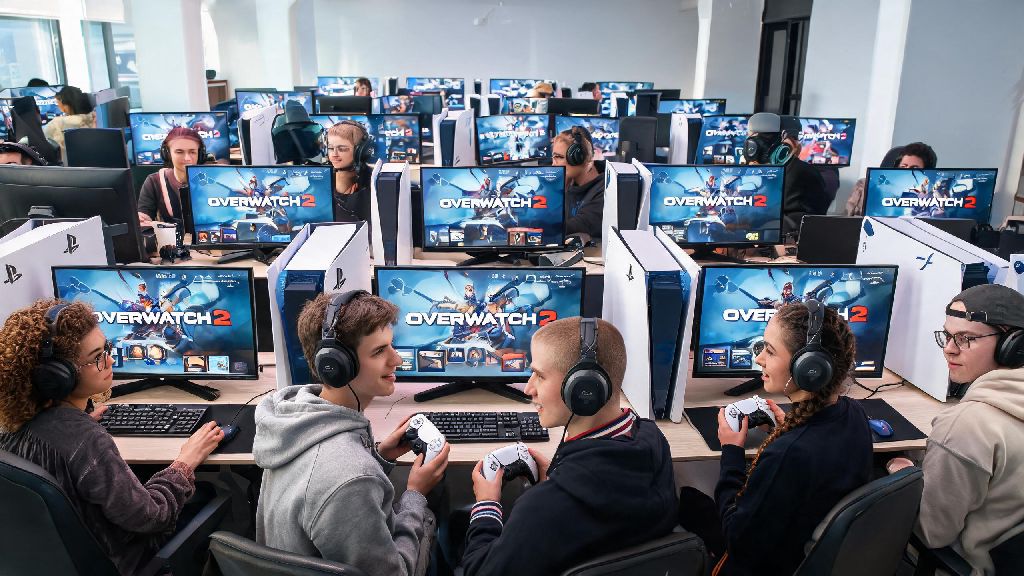
If you’ve ever queued for a competitive Overwatch 2 match on your PC while your friend waits on their PS5, you’ve probably wondered: can you play cross platform Overwatch 2 competitive? It’s a super common question, especially as more players split their time between console and PC setups, or want to squad up with friends who own different hardware. I’ve tested cross-play across every supported platform over the past two years, so I’m breaking down exactly what works, what doesn’t, and what you need to know before you queue with a cross-platform group.
Can You Play Cross Platform Overwatch 2 Competitive? The Short Answer
The short answer is yes, but there are important restrictions in place to keep matches fair for all players. Blizzard rolled out full cross-platform support for competitive play shortly after Overwatch 2 launched, but they built in input-based matchmaking to prevent unfair matchups between controller and mouse/keyboard users. Controller and mouse/keyboard players are split into separate pools by default when queuing solo, so you won’t run into PC players if you’re playing on console with a controller alone.
That rule changes when you group with players on different input types, though. If even one member of your group is using mouse and keyboard, your entire lobby will be placed in the mouse/keyboard matchmaking pool, no matter how many controller players are on your team. I learned this the hard way when I grouped with my roommate who plays on PC last year; I’m a console controller main, and we got matched against top 500 PC players that wiped our team in under 10 minutes. Definitely a humbling experience.
Key Cross-Platform Competitive Overwatch 2 Rules You Need to Follow
Before you queue with cross-platform friends, there are a few non-negotiable rules you need to be aware of to avoid surprises mid-match or after your grind session. First, your competitive rank is not shared across different platforms. All your skins, battle pass progress, and unlocks carry over via cross-progression, but if you’re a Diamond rank player on PC, you’ll have to complete full placement matches on your Xbox or Switch before you get a rank there. You can’t transfer your existing rank between platforms at all, even if you’ve played on the same account for years.
Second, you can’t turn off cross-play for competitive matches on any platform, unlike quick play. Blizzard removed the option to disable cross-play in competitive queues a few months after launch to cut down on excessively long wait times, especially for higher rank players on less populated platforms like Nintendo Switch. If you want to play competitive, you will be matched with players from other platforms unless you queue solo on controller, in which case you’ll only face other controller players across all consoles.
To be eligible for cross-platform competitive play at all, you need to meet these requirements for every linked account you use:
If any member of your group fails to meet these requirements, you’ll get an error message when you try to queue, and you won’t be able to start your match until the issue is fixed. Most of the time, this just means a new player in your group hasn’t finished their 50 quick play wins yet, so it’s an easy fix.
Pros and Cons of Playing Cross-Platform Overwatch 2 Competitive
Cross-platform competitive play isn’t for everyone, and it’s worth weighing the upsides and downsides before you commit to queuing with cross-platform friends regularly. The biggest upside is obviously the ability to play with all your friends no matter what device they own, instead of being limited to only people who have the same console or PC as you. Queue times for cross-platform groups are significantly shorter than playing solo on a single platform, especially in higher rank brackets like Master and Grandmaster where there are far fewer active players.
Playing cross-platform also helps you improve faster as a player, because you get matched against a wider variety of play styles. Controller players usually have much smoother tracking for projectile heroes like Pharah or Junker Queen, while PC players tend to have faster flick shots for hitscan heroes like Tracer or Widowmaker. Playing against both types of players regularly will help you learn to counter more play styles and adapt faster mid-match.
The biggest downside is the inherent input imbalance that comes with mixed input lobbies. If you’re a controller player grouped with PC friends, you’ll be at a noticeable disadvantage on hitscan heroes, since mouse and keyboard allows for much faster and more precise aim than a controller. There’s also the issue of cheaters using mouse and keyboard adapters on console to get placed in the controller pool, which gives them an unfair advantage over legitimate controller players. I’ve run into at least a dozen suspected adapter users in console competitive lobbies over the past 6 months, and reporting them usually takes a few days for Blizzard to act, if they act at all.
Tips to Make Cross-Platform Competitive Play Work for Your Group
If you decide cross-platform competitive play is right for you and your friends, there are a few simple tweaks you can make to have a much better experience and win more matches. First, agree on a shared hero pool that works well for both input types. Heroes like Reinhardt, Lucio, Kiriko, and Junker Queen are equally strong on both controller and mouse and keyboard, so prioritizing these heroes will level the playing field for your whole team. Avoid forcing your controller main to play Widowmaker or Ashe against PC players, as they’ll almost always be outmatched.
Second, adjust your in-game settings before queuing with cross-platform friends to reduce input lag as much as possible. For console players, turn off any unnecessary background features, use a wired internet connection instead of Wi-Fi, and adjust your controller sensitivity curve to match the faster pace of PC lobbies. For PC players, lower your graphics settings if you’re getting consistent frame drops, as even a 10 FPS difference can put you at a disadvantage against console players with locked 120 FPS performance.
Third, assign roles based on each player’s individual skill, not their platform. It’s a common misconception that PC players are automatically better at DPS or that console players are better at tanks, but that’s rarely the case in practice. My regular cross-platform group has a console main who’s one of the best Widowmaker players I’ve ever seen, and a PC main who’s our dedicated Reinhardt player, and that setup works way better than forcing roles based on device. If you’re playing to climb, focus on each player’s strengths first and ignore what platform they’re on.
Don’t stress too much about losing a few matches when you first start queuing cross-platform. It takes time to get used to playing against mixed input opponents, and even the most coordinated groups go through losing streaks when they first adjust to cross-play lobbies. My regular group went on a 7-loss streak when we first started queuing together, but after we adjusted our roles and hero picks, we climbed two full divisions in a month.
At the end of the day, whether you want to play cross platform Overwatch 2 competitive comes down to what you prioritize in your matches. If you want to queue with friends no matter what device they own, and don't mind the occasional input imbalance, it's one of the best features Blizzard has added to the game in years. If you're focused on climbing the ranks as fast as possible on your main platform, you might be better off queuing solo or with players on the same input type as you. Either way, make sure you follow the cross-play rules, adjust your settings to fit the lobby type, and remember to have fun above all else.