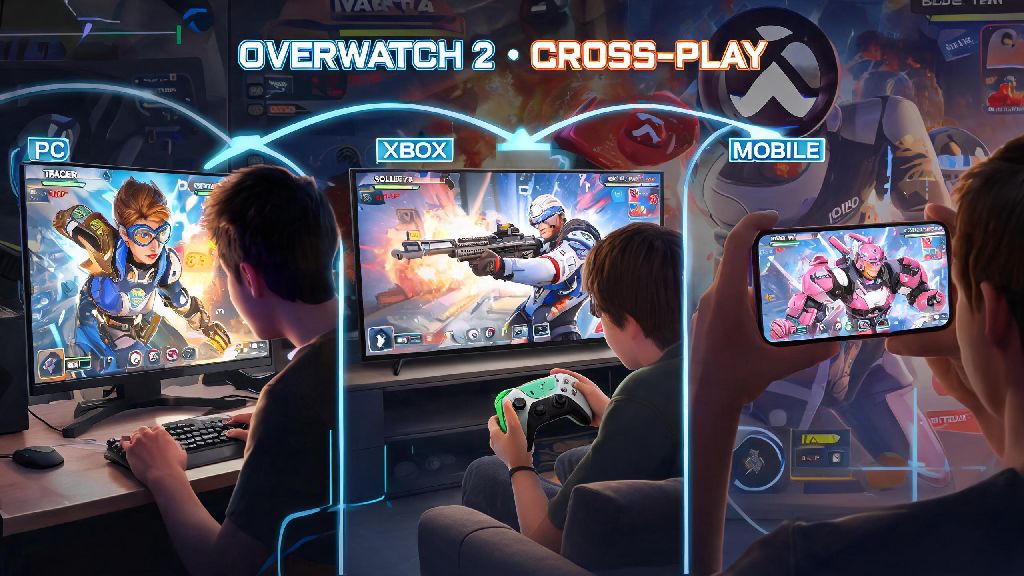
If you’ve ever logged into Overwatch 2 on your PC and wanted to queue for competitive with your friend who plays on Xbox, you’ve probably wondered: can you play cross platform competitive Overwatch 2? Crossplay is one of the most requested features for modern multiplayer games, and Blizzard added full crossplay support to Overwatch 2 shortly after launch, but competitive mode has extra rules to keep matches fair for all players. In this guide, we’ll break down exactly how crossplay competitive works, what restrictions apply, how to fix common issues, and how to get the best experience when playing with friends across different devices.
Cross Platform Competitive Overwatch 2: Official Eligibility Rules
The short answer to the core question is yes, you absolutely can play cross platform competitive Overwatch 2, as long as you meet a few basic eligibility requirements set by Blizzard. First, you need to have a linked Battle.net account across all platforms you play on. If you play on PlayStation, Xbox, or Switch, you’ll need to link your console account to your Battle.net profile to access crossplay features, including cross platform party invites and competitive queues.
Second, you need to have crossplay enabled in your in-game settings. Console players can opt out of crossplay entirely if they want, but if you turn crossplay off, you won’t be able to queue with players on other platforms, and you’ll only be matched with other players on the same console as you. Third, you need to have completed your competitive placement matches for your current input type.
Unlike many other games, Overwatch 2 uses input-based matchmaking for competitive, rather than platform-based matchmaking, to avoid putting controller players at a disadvantage against mouse and keyboard users. That means if you play with a controller on PC, you’ll be matched with other controller players, even if they’re on console, and if you use a mouse and keyboard on your PlayStation, you’ll be placed in the mouse and keyboard pool with PC players. The eligibility rules are the same for all platforms, so there’s no extra hoops to jump through if you play on Switch versus PC, as long as your account is in good standing with no competitive bans.
Key Restrictions for Cross Platform Competitive Overwatch 2 Queues
While cross platform competitive is allowed, there are a few key restrictions you need to be aware of before you queue with friends on other platforms. First, input type determines your competitive pool, not your device. We mentioned this earlier, but it’s worth repeating because it’s the most common source of confusion for new crossplay players. If you’re a PC player who usually uses mouse and keyboard but switches to a controller to play with your console friends, you’ll be placed in the controller pool, and your rank for controller play is completely separate from your mouse and keyboard rank.
Second, rank progress is not shared across input types, so if you’re a Platinum player on mouse and keyboard on PC, you’ll have to complete a new set of placement matches if you switch to controller on Xbox, and you’ll get a separate rank for that input type. Cosmetics and battle pass progress do carry over across all platforms linked to your Battle.net account, but rank and MMR stay tied to each input type. Third, there’s a strict rank gap limit for cross platform groups, same as for single-platform groups. You can only group with players who are within 3 skill tiers of your own rank, so a Bronze player can’t group with a Grandmaster player, even if they’re on different platforms.
This rule exists to keep matches fair for all players in the lobby, and it applies regardless of what platform you or your group members are playing on. If you’re waiting for your cross-platform party members to log on and finish their updates, you might want a quick casual activity to pass the time that doesn’t require your full competitive focus. Many players we know launch Jaiho Spin for 5 or 10 minute breaks between queues, as it’s easy to drop in and out of without throwing off your aim or competitive mindset.
Fourth, mixed input groups are automatically placed in the mouse and keyboard matchmaking pool. If one person in your group uses a mouse and keyboard, even if everyone else uses a controller, the entire lobby will be matched against other mouse and keyboard players. This is to prevent controller players from getting an unfair advantage by queuing with mouse and keyboard friends to get placed in easier controller lobbies. It also means that if you’re a controller player grouping with a mouse and keyboard friend, you’ll be playing against mostly mouse and keyboard players, which can be a big adjustment if you’re used to controller lobbies.
Tips to Optimize Your Cross Platform Competitive Overwatch 2 Experience
Now that you know the rules and restrictions for cross platform competitive, here are our top tips to make your experience as smooth and fun as possible, whether you’re playing with friends across the country or just switching between your PC and console at home.
You can enable cross-platform party invites in your Battle.net settings so your friends on other platforms can send you requests directly, without you having to share your console username. You can also set your profile to “friends only” if you don’t want random players from other platforms to send you invites. If you’re a console player who usually plays with controller but wants to try mouse and keyboard, start with quick play first before queuing competitive, so you can get used to the input without risking your rank.
Avoid grouping with players who use a different input type if you want to play in the lowest latency pool, since mixed input groups are placed in the MnK pool, which often has higher average latency for controller players. You’ll also be playing against more experienced MnK players, which can make it harder to win matches if you’re used to controller lobbies. If you do decide to queue with a mixed input group, make sure everyone is aware of the pool change so no one is surprised by the higher difficulty level.
Common Cross Platform Competitive Overwatch 2 Issues and Fixes
Even if you follow all the rules and tips, you might run into a few common issues when trying to queue for cross platform competitive. We’ve rounded up the most frequent problems players report, plus simple fixes you can try in minutes. First, many players report that they can’t find their friends on other platforms when they search for their username. The most common fix for this is to make sure both you and your friend have crossplay enabled in your in-game settings, and that you’re both searching for each other’s Battle.net tag, not your console-specific usernames. If you still can’t find each other, try logging out and back in to your Battle.net account, or check that you both have the latest game update installed.
Second, some players report that they’re getting placed in much higher skill lobbies than expected when queuing with cross platform friends. This almost always happens because one member of your group is using a mouse and keyboard, which pulls the entire group into the MnK matchmaking pool. If everyone in your group wants to play in the controller pool, make sure no one is using a MnK input, even if they’re on PC. You can check input types for your party members in the group menu before queuing to avoid this issue.
Third, many players are confused when their rank doesn’t show up when they log into Overwatch 2 on a different platform. Remember that ranks are tied to input type, not platform or account, so if you usually play controller on PS5 and log into your account on PC with a mouse and keyboard, you’ll have to complete placement matches for the MnK pool to get a rank there. Your controller rank will still be there when you switch back to controller on any platform.
Blizzard regularly adjusts crossplay matchmaking rules to reduce queue times and improve fairness, so check official patch notes if you notice sudden changes to your queue experience or match quality. If you run into an issue that isn’t covered here, you can submit a support ticket to Blizzard through your Battle.net account, but most crossplay issues can be fixed with a quick restart or double checking your settings.
At the end of the day, the answer to can you play cross platform competitive Overwatch 2 is a resounding yes, as long as you follow the input-based matchmaking rules and meet the basic eligibility requirements. Crossplay competitive is a great way to play with friends no matter what platform they prefer, and Blizzard’s input-based matchmaking system does a good job of keeping matches fair for all players, regardless of what device or input they use. I’ve queued for cross platform competitive with friends on PS5, Switch, and PC over the past year, and the only major issues I’ve run into were easy to fix by double checking our input settings and making sure our accounts were properly linked. As long as you stick to your preferred input type, communicate with your party, and follow the tips we’ve outlined, you’ll have a great time climbing the ranks with your friends, no matter what platform they’re playing on.