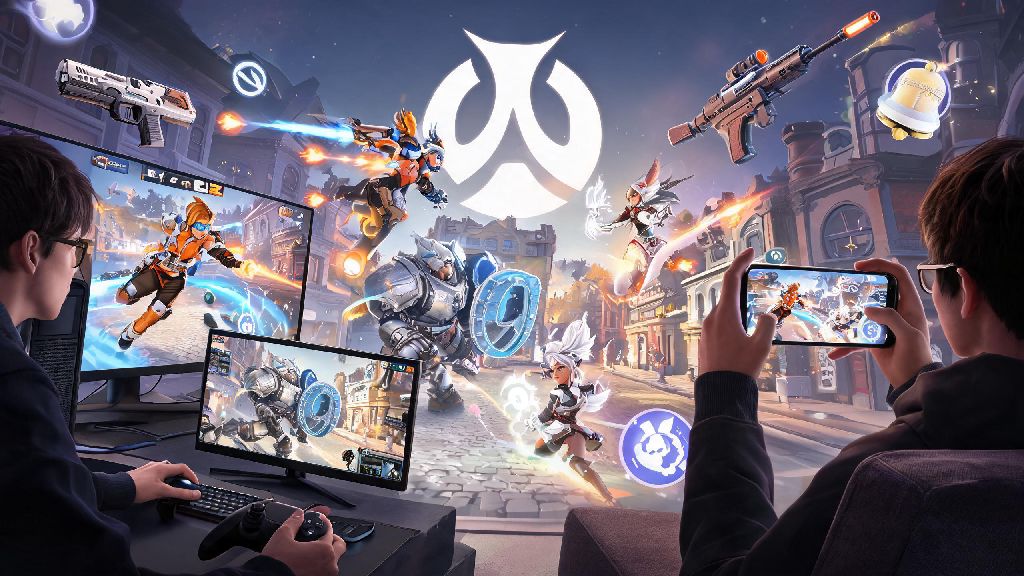
If you regularly play Overwatch 2 across multiple devices, or have friends who game on different platforms than you, you’ve probably wondered: can you play competitive crossplay Overwatch 2? It’s a fair question, since Blizzard has shifted a lot of rules around cross-platform play since the original Overwatch launched, and competitive mode has stricter guardrails than quick play or arcade modes. We’ve pulled together all the official rules, limitations, and actionable tips to help you queue for ranked crossplay without running into unexpected errors or unfair matchups.
Can You Play Competitive Crossplay Overwatch 2? Official Rules Breakdown
The short answer is yes, you absolutely can play competitive crossplay Overwatch 2, as long as you follow a few core rules set by Blizzard to keep matches fair for all players. Crossplay is enabled by default for all competitive game modes, including role queue, open queue, and even the rotating competitive arcade modes like Mystery Heroes. You don’t have to toggle any special settings to access crossplay queues, unless you previously turned crossplay off in your account settings.
The biggest rule that shapes crossplay competitive matches is input-based matchmaking, which Blizzard rolled out shortly after Overwatch 2 launched to eliminate unfair advantages between input types. Instead of grouping players by platform, the matchmaker first sorts players by the input device they’re using: either keyboard and mouse (KBM) or controller. That means a player using a controller on a PC will be matched with and against other controller players, even if those other players are on PlayStation, Xbox, or Nintendo Switch. Similarly, a console player who plugs a KBM into their device will be placed in the KBM pool with PC KBM players.
Cross-progression is tied to your Battle.net account, so if you log into the same Battle.net account on your PC and your PS5, your competitive rank for each input method will carry over between devices. You won’t have to re-do placement matches if you switch platforms, as long as you’re using the same input method and same account. That’s a huge win for players who game on the go with a Switch and at home on a console, or who split time between a personal laptop and a home PC.
Key Limitations for Crossplay Competitive Overwatch 2 Queues
While crossplay competitive is fully supported, there are a few hard limitations you need to know about before you queue with friends on other platforms. Ignoring these rules will lead to error messages when you try to join a party, or get you put in a mismatched game that’s not fun for anyone on your team.
The most non-negotiable rule is that all members of your party must use the same input method. You can’t have one player on KBM and one player on controller in the same competitive crossplay party, even if you’re all on the same platform. This rule exists to stop parties from stacking input advantages, like having a KBM hitscan player paired with a controller support player who gets aim assist. If you want to queue with a friend who uses a different input than you, one of you will have to switch input methods to match.
Other limitations apply to all competitive queues, crossplay or not, but they’re even more important to remember when playing with people across platforms who might have different rank progress, including rank disparity limits and placement match requirements. Before you queue for crossplay competitive, make sure your party meets all these requirements:
There are also a few smaller limitations to keep in mind. If you choose to turn crossplay off in your settings, you’ll only be matched with players on the same console family as you: PlayStation players with other PlayStation players, Xbox with Xbox, Switch with Switch. Queue times for platform-only competitive queues are usually 2 to 4 times longer than crossplay queues, especially in lower rank tiers or off-peak hours. Anti-cheat enforcement is consistent across all crossplay pools, so you don’t have to worry about more cheaters in crossplay queues than platform-only ones, though PC KBM pools do have extra kernel-level anti-cheat checks that console pools don’t need.
How to Optimize Your Crossplay Competitive Overwatch 2 Experience
Now that you know the basic rules, there are a few simple tweaks you can make to get the most out of crossplay competitive, whether you’re climbing the ladder solo or queuing with friends across platforms. If you’re looking to queue for crossplay competitive with friends who game on different consoles, these tips will help you avoid frustration and win more matches.
Stick to one input method if you want to climb consistently. Since your competitive rank is separate for controller and KBM, switching back and forth between input types means you’ll have two separate ranks to maintain, and you’ll struggle to build consistent muscle memory. I’ve made this mistake myself: I used to switch between controller on my couch and KBM at my desk, and I ended up stuck in Gold on both inputs for months. Once I committed to only using controller for competitive, I climbed to Platinum in three seasons.
If you’re a console player who wants to queue with PC KBM friends, you can plug a KBM directly into most modern consoles to join the KBM pool. But don’t jump into competitive right away if you’re new to KBM: spend a few hours in quick play or practice range to adjust your sensitivity and get used to the faster input speed, because you’ll be matched against experienced PC KBM players who have thousands of hours on the input.
Adjust your crossplay communication settings before you queue. By default, Overwatch 2 lets you hear voice and text chat from all players across all platforms, but you can toggle this to only hear players on your same platform if you run into consistent toxicity. That said, I recommend leaving cross-platform chat enabled: communication is 70% of winning competitive matches, and some of the best team calls I’ve ever gotten were from a random Xbox player I was paired with in crossplay.
If you’re dealing with long queue times, double check that crossplay is enabled. Even if you only play on one platform, the crossplay player pool is 3 to 5 times larger than platform-only pools, so you’ll get matches much faster, especially for less popular modes like open queue. You can also narrow your server region to the closest one to reduce ping, since crossplay will match you with players in your region first to avoid laggy matches.
Common Crossplay Competitive Overwatch 2 Myths Debunked
There’s a lot of misinformation floating around online about crossplay competitive, so we’re debunking the most common myths to help you make informed decisions about your queues. One of the most common questions tied to crossplay competitive is whether PC players have an unfair edge over console players, and that’s the first myth we’re breaking down.
Myth: PC players have an unfair advantage in crossplay competitive. This is one of the most persistent myths, but it’s completely untrue thanks to input-based matchmaking. Controller players are only ever matched against other controller players, no matter what platform they’re on, so a PC controller player has no advantage over a PlayStation controller player. The only time PC and console players are in the same pool is if they’re both using KBM, and at that point the input is identical, so there’s no inherent advantage.
Myth: You can’t earn competitive points or end-of-season rewards in crossplay queues. This is completely false: you earn the same amount of competitive points per win or draw in crossplay queues as you do in platform-only queues, and you’re eligible for all the same end-of-season rewards, including rank titles, player icons, and competitive skins. The only thing that changes is the size of the player pool you’re matched against.
Myth: Crossplay competitive queues have way more cheaters than platform-only queues. Blizzard has confirmed that they monitor all crossplay pools with the same anti-cheat tools, and input separation means that cheaters in the PC KBM pool can’t get into controller pools. I’ve played over 500 hours of crossplay competitive on controller, and I’ve run into less than 5 confirmed cheaters in that time, which is the same rate as when I played platform-only on PlayStation.
Myth: Your rank resets when you switch platforms for crossplay. As long as you’re logged into the same Battle.net account and using the same input method, your rank will carry over completely between platforms, no reset required. You won’t have to re-do placement matches unless you switch input methods, or if there’s a full rank reset at the start of a new competitive cycle.
At the end of the day, can you play competitive crossplay Overwatch 2? Yes, and it’s one of the best ways to enjoy ranked play, whether you want to queue with friends on different platforms or cut down your queue times to get more matches in per session. As long as you follow the input matching rules, stick to one input method if you want to climb, and adjust your settings to fit your playstyle, you’ll have just as much success in crossplay queues as you would in platform-only ones. Don’t be afraid to test it out: some of my most fun and memorable competitive matches have been crossplay games with friends I met online, all playing on different devices from across the country.