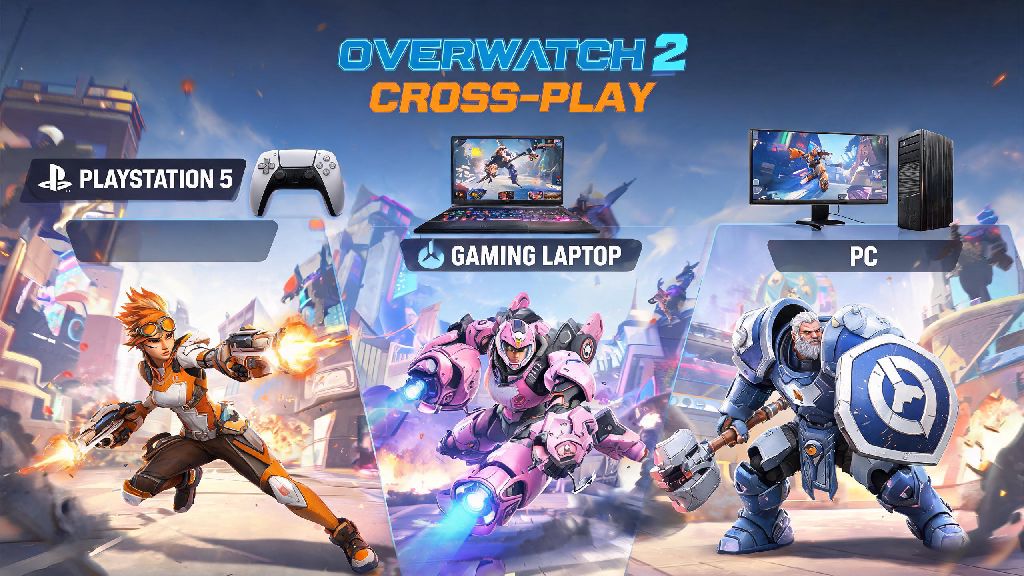
If you’ve ever logged off a quick play match on your PS5 mid-group, only to want to rejoin the same crew from your gaming laptop later, you’ve probably asked: can you cross play Overwatch 2? The short answer is mostly yes, but there are a few platform-specific rules, hidden restrictions, and setup steps you need to know before you queue up with friends on different devices. I’ve tested cross play across every supported Overwatch 2 platform over the last year, and I’m breaking down exactly what works, what doesn’t, and how to fix the most common snags that pop up when you’re trying to play across devices.
Can You Cross Play Overwatch 2 Across All Supported Platforms?
Blizzard rolled out full cross play functionality for Overwatch 2 at launch, removing the platform locks that limited play in the original Overwatch for certain modes. The feature is available for free to all players, with no extra purchase required beyond any platform-specific online subscriptions you need for console play (like PS Plus or Xbox Live Gold). Supported platforms include PC (via both Battle.net and Steam), PS4, PS5, Xbox One, Xbox Series X/S, and Nintendo Switch, with limited cross play support for the ongoing mobile beta.
Cross play works for all game modes including quick play, competitive, arcade, and custom games, so you don’t have to stick to casual matches if you’re playing with friends on other devices. The only caveat here is input-based matchmaking, which is designed to keep competitive play fair for all users. Console players who use a controller will not be matched against PC mouse and keyboard players by default unless they manually opt into cross input play in their settings. If you plug a mouse and keyboard into your console, you’ll automatically be placed in PC lobbies even if you never toggled the setting yourself, which is a common gotcha for new console players.
The only major exception to cross play access is for players on the Chinese regional server, which is operated by a separate local publisher. These servers are entirely walled off from the global version of the game, so you won’t be able to play with friends on the Chinese server even if you have each other added on Battle.net.
How to Set Up Overwatch 2 Cross Play for Your Group
Setting up cross play for your group takes just a few minutes, but there are a few small steps you can’t skip. First, every player in your group needs to have their console or Steam account linked to a valid Battle.net account. You can link accounts via the Battle.net website in just a few clicks, and you only have to do it once for all future cross play sessions. Unlike platform-specific play, you can’t add cross platform friends using their gamertag, PSN ID, or Switch friend code.
You can only add cross platform friends via their full Battle.net ID, not their platform username so make sure you get the full tag including the 4-digit suffix when you’re swapping info with friends. Once you’re all added as Battle.net friends, you can invite each other to groups the same way you would invite platform-specific friends, and the group leader can choose any game mode or region for the whole lobby. Before you queue up, run through this quick checklist to avoid common delays:
I’ve run into so many groups that waste 10 minutes troubleshooting invites just because one person turned cross play off to avoid PC players in competitive, and forgot to toggle it back on for casual matches with friends. It’s a tiny setting that causes a lot of unnecessary headaches, so it’s always worth a quick check before you spend time troubleshooting deeper issues.
Key Cross Play Restrictions and Limitations to Know
While cross play is largely seamless for most players, there are a few limitations that Blizzard has put in place to keep competitive play fair and avoid performance issues for lower-powered devices. First, competitive ranks are separate per input type, so if you’re a diamond controller player on console, that rank won’t carry over to PC mouse and keyboard play even if you’re using the same linked account. This prevents players from smurfing on lower-input lobbies, but it does mean you’ll have to place again if you switch between controller and mouse/keyboard regularly.
Cross play groups with mixed input types will automatically be placed in the higher skill pool so if you have one PC player in a group of console controller users, the whole group will match against mostly PC lobbies. If your console group is only used to playing against other controller players, this can come as a rude surprise, so make sure everyone knows what they’re signing up for before you add a PC friend to the group for competitive matches.
Nintendo Switch players also face a few unique limitations for cross play. The Switch’s lower processing power can struggle to keep up with faster lobby load times in PC-heavy lobbies, leading to longer wait times or occasional frame drops mid-match. Switch players can disable cross play in settings to only match against other Switch users if they’re running into consistent performance issues, though this will obviously lead to longer queue times for less popular modes. Cross progression is fully tied to your Battle.net account, so all your skins, battle pass progress, and in-game currency will carry over across all platforms regardless of cross play settings, which is a nice perk for players who switch between devices regularly.
How to Fix Common Overwatch 2 Cross Play Errors
Even if you follow all the setup steps perfectly, you might run into occasional cross play errors, most of which have quick, easy fixes. The most common error is the “friend not found” message when you try to add someone to your friends list. This is almost always caused by a typo in their Battle.net ID, or their privacy settings being set to block friend requests from users who aren’t on their platform friends list. The easiest fix here is to ask them to send you a friend request instead, since they’ll be able to find your ID easily if you’ve already sent them a request that was blocked by privacy settings.
The second most common error is the “unable to join group” message that pops up when you try to accept a cross play group invite. This usually happens if one player has cross play disabled, is in a different region than the group leader, or is running an outdated version of the game. Have everyone restart their game to install any pending patches, double check cross play settings are enabled, and make sure the group leader has the lobby region set to a region all players can access. If you’re playing on Steam, this error can also pop up if your Steam and Battle.net account link is broken, which you can fix by unlinking and relinking your accounts on the Battle.net website.
If you’re running into consistent lag or input delay in cross play lobbies, that’s almost always caused by being matched with players in a far away region. You can set your lobby region to "auto" or your local region in settings to reduce cross play lag without turning off cross play entirely. If you’re still getting kicked from lobbies after trying all these fixes, check your Battle.net account status, as temporary restrictions from false reports can block cross play access until you reach out to support to get them lifted. I had this happen once after a salty opponent reported me for no reason, and the restriction was lifted in 24 hours once I submitted a support ticket.
At the end of the day, the answer to can you cross play Overwatch 2 is a resounding yes for almost all players, as long as you follow the setup steps and account for the small restrictions around input and platform. Cross play makes it so much easier to play with friends no matter what device they prefer, and Blizzard has done a solid job of balancing competitive integrity while keeping the feature accessible for casual groups. Just double check your settings before you queue, make sure everyone has the right Battle.net IDs, and you’ll be jumping into matches together in no time.