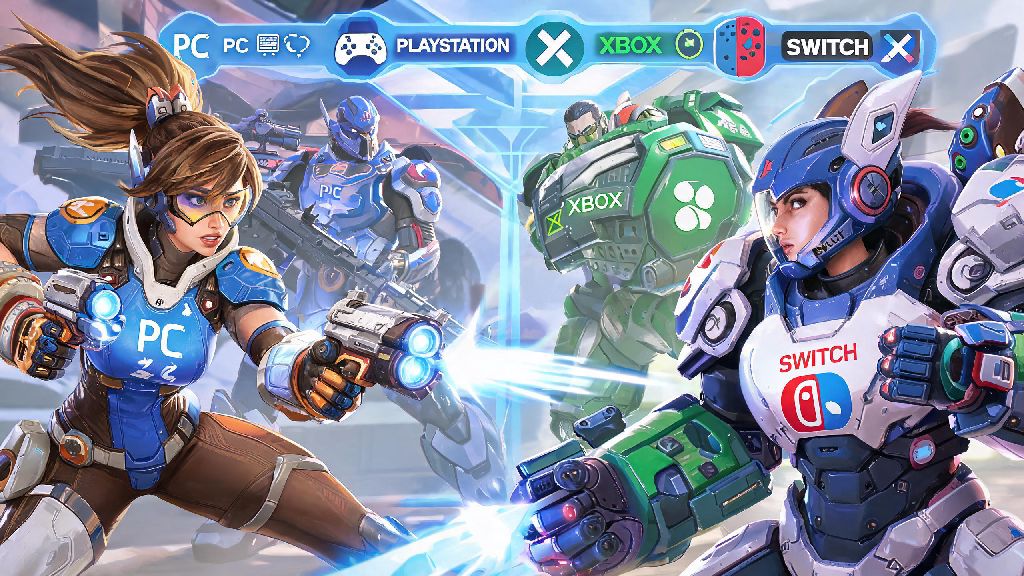
If you’ve ever tried to line up a ranked queue with a friend who plays on a different platform, you’ve almost certainly asked can you cross play competitive Overwatch 2 without hitting unexpected roadblocks. Casual crossplay works seamlessly across PC, PlayStation, Xbox, and Switch for most game modes, so it’s normal to assume competitive would follow the same rules. But Blizzard has put specific guardrails in place for ranked play to keep matches fair, and the rules aren’t always clearly explained in-game. We’re breaking down every official rule, restriction, workaround, and tip to help you play competitive with your friends no matter what platform they use.
Can You Cross Play Competitive Overwatch 2: Official Core Rules
The short official answer is yes, but only if all players in your party are in the same platform pool. Blizzard splits competitive Overwatch 2 into two separate, isolated matchmaking pools: one for PC players, and one for console players. Cross play is fully allowed across all console platforms (PlayStation, Xbox, Nintendo Switch) in competitive, so you can queue for role queue or open queue ranked with friends on any of those three systems with no extra hoops. PC players cannot join console competitive lobbies under any official circumstances, and vice versa, even if you use the same Battle.net account across both platforms. The rule exists to prevent balance issues between mouse and keyboard (which offers far faster precision and reaction time) and controller inputs, which would put controller players at a severe disadvantage in mixed PC/console ranked lobbies. I tested this myself last month when I tried to queue for competitive open queue with my PC main friend on my PlayStation 5, and the queue button was immediately greyed out with a vague “platform mismatch” error message that didn’t explain the rule.
Key Restrictions for Console Cross Play Competitive Overwatch 2
Even if all your friends are on console, there are a few under-the-radar restrictions that can break your cross play competitive queue before it even starts. Most of these rules tie back to Blizzard’s commitment to fair input-based matchmaking, and they’re not clearly advertised in the in-game settings menu. If you’ve ever been confused why you can’t join a friend’s console competitive lobby even though you’re both on PlayStation or Xbox, one of these restrictions is almost certainly the cause. The most common restrictions you’ll run into include:
It’s also important to note that aim assist for controller players is disabled entirely in PC competitive lobbies, even if you’re a console player who was moved to the PC pool because you used a mouse and keyboard. That means if you accidentally leave a mouse plugged into your console when you queue, you’ll be thrown into lobbies with no aim assist against PC players who have years of experience with mouse and keyboard controls. I made this mistake once, and I went three straight matches without a single elimination as Tracer before I realized what had happened.
Legitimate Workarounds to Play Ranked With Cross-Platform Friends
If you have friends spread across PC and console, you don’t have to give up on playing competitive-style matches together entirely. There are a few fully allowed workarounds that let you play ranked-adjacent games with all your friends, no hacks or exploits required. None of these workarounds will let you earn SR or climb the official competitive ranks across platform pools, but they’re perfect if you just want to play structured, competitive games with your full friend group. The most reliable workaround is setting up a custom competitive lobby, which lets you enable crossplay across all platforms, set role lock, use the official competitive map rotation, and even adjust settings like aim assist for PC players to level the playing field. You can even invite up to 12 players total for full 6v6 matches, and you can enable a scoreboard that tracks eliminations, deaths, and healing just like official competitive lobbies. If you have access to both a PC and a console, you can also switch to the same platform pool as your friends: if your friends are on PC, boot up the PC version of Overwatch 2, and if they’re on console, switch to your console version to queue for official competitive lobbies and earn SR together. Just make sure you don’t have a mouse and keyboard plugged into your console if you’re queuing with controller-using console friends, or you’ll be kicked to the PC pool automatically.
Pro Tips for Smooth Cross Play Competitive Overwatch 2 Lobbies
Even when you’re playing within the official cross play rules for console competitive lobbies, there are a few small tweaks you can make to reduce lag, avoid queue errors, and make your matches run far more smoothly. Most of these tips take less than a minute to set up, and they’ll save you hours of frustration from dropped lobbies or unplayable ping. First, double check that crossplay is enabled in your Battle.net account settings, because it’s often disabled by default for new accounts or accounts that have been moved to a new platform. You can find this setting under the “social” tab of the in-game options menu, and you’ll need to make sure every player in your party has it enabled to queue together. Second, adjust your server region to match the region where most of your party is located, instead of using the automatic server selection. For example, if three of your friends are on the East Coast of the US and you’re on the West Coast, switching to the East Coast server will reduce overall lag for the whole party, even if your personal ping is 10ms higher than usual. Third, if you’re noticing a lot of smurfs or higher-skilled players in your cross play console lobbies, you can disable crossplay entirely in settings to queue only with players on your own console platform. This usually reduces queue times slightly, and you won’t have to deal with players from other regions who have higher skill levels on different console systems. Fourth, remember that voice chat crossplay works seamlessly across all platforms as long as you have it enabled, so you don’t need to use third-party apps to talk to your friends on other consoles. I’ve used the in-game voice chat for cross play competitive lobbies with friends on Switch, Xbox, and PlayStation for over a year, and it’s far more reliable than most third-party voice apps for console players.
At the end of the day, the answer to can you cross play competitive Overwatch 2 depends entirely on what platforms you and your friends play on. As long as you’re all on console, you can queue for official ranked lobbies with no issues, earn SR, and climb the console competitive ranks together. If you have friends on PC, custom competitive lobbies are a great way to play structured, competitive matches without the balance issues of mixed PC and console official ranked play. Blizzard has hinted that they may adjust these rules in the future if they can find a way to balance mouse and keyboard and controller inputs fairly, but for now, these rules are here to stay. If you’ve run into any other weird cross play issues in competitive Overwatch 2, drop a note in the comments below and we’ll help you troubleshoot.