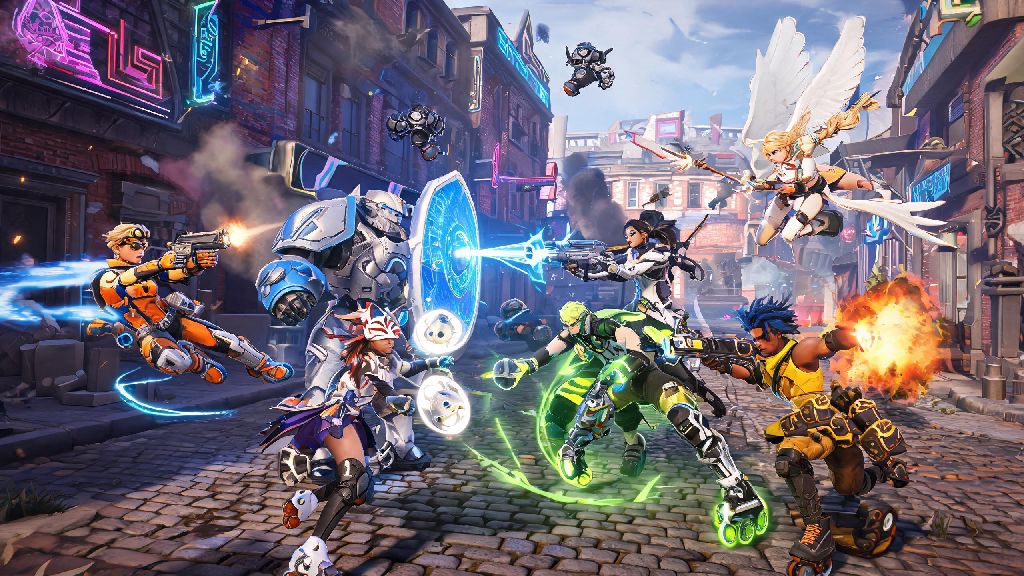
Last weekend, I spent three hours grinding quick play matches with my little brother, who plays exclusively on Xbox Series S, while I sat at my PC running the Steam version of Overwatch 2. We didn’t run into a single connection issue the entire time, and we even won 7 out of 10 matches we queued for. If you’ve ever wondered can Xbox and PC play Overwatch 2 together, you’re not alone. Thousands of players search for this answer every month, especially when they want to squad up with friends who own different devices. This guide breaks down everything you need to know to make cross-platform matches work smoothly, no extra tech skills required.
Can Xbox and PC Play Overwatch 2 Together? Official Crossplay Rules
The short answer is yes, all Xbox and PC versions of Overwatch 2 support full crossplay across every game mode. Blizzard rolled out universal cross-platform support when Overwatch 2 launched in 2022, and they’ve kept the feature active for all subsequent updates. Crossplay is enabled for all Overwatch 2 game modes by default, so you don’t have to toggle any special settings just to access the feature in the first place.
This support covers all Xbox devices, including the Xbox One, Xbox One S/X, Xbox Series S and Xbox Series X. On the PC side, both the Battle.net native version and the Steam release of Overwatch 2 work with crossplay, as long as you link your account correctly. The only time you won’t be able to play across platforms is if you manually disable crossplay in your settings, or if one of your accounts has a restriction that blocks cross-platform interactions.
There are a few small limits to be aware of, though. For competitive play, if you group with players across Xbox and PC, you’ll be placed in a mixed input matchmaking pool, instead of the separate controller-only pool that Xbox solo players use. That means you’ll face both controller and keyboard/mouse players, which can change the feel of matches a bit if you’re used to pure console lobbies. But for casual modes like quick play, arcade, or custom games, there are no restrictions at all.
How to Set Up Crossplay Between Xbox and PC for Overwatch 2
Setting up a crossplay group between Xbox and PC only takes a few minutes, as long as you have your friend’s Battle.net account information handy. You can’t use platform-specific friends lists (like Xbox Friends or Steam Friends) to invite players across devices, so you’ll need to add each other as Battle.net friends first. Follow these simple steps to get your group going:
If you’re playing the Steam version of Overwatch 2 on PC, you’ll need to link your Battle.net account the first time you launch the game to access crossplay features. Steam Overwatch 2 players must link their Battle.net account to access crossplay features, and you can’t use a Steam-only account to play with Xbox players. If you don’t have a Battle.net account already, you can make one for free in two minutes during the first launch process.
You can find your own Battle.net tag on the top right corner of the Overwatch 2 main menu, right next to your profile icon. If you’re on Xbox, you can also access it through the in-game settings menu under the “account” tab. Double check that you give your friend the full 4-digit code, otherwise you might send a request to the wrong person by mistake.
Key Differences Between Xbox and PC Overwatch 2 Crossplay Matches
While crossplay works seamlessly for the most part, there are a few key differences you’ll notice when playing across Xbox and PC, mostly related to input methods and matchmaking. The biggest difference is that PC players use keyboard and mouse, which generally allows for faster, more precise aim, while Xbox players use controllers. To balance this difference, Blizzard added aim assist for controller players, but the strength of this assist changes depending on who you’re grouped with.
If you’re an Xbox player playing with PC friends, your aim assist will be slightly weaker than it is in pure console lobbies. This is to prevent controller players from having an unfair advantage against PC players who don’t get any aim assist at all. I noticed this difference immediately when I first played with my PC friends on my Xbox; my tracking on heroes like Tracer felt a little less sticky than normal, but I got used to it after a couple of matches.
Another difference is cross-progression, which works across all linked devices for the same Battle.net account. Cross-progression is shared across all linked devices for the same Battle.net account, so any skins, competitive points, battle pass progress, or level ups you earn on Xbox will carry over to your PC account, and vice versa. That means you don’t have to start over from scratch if you switch between devices, which is a huge perk for players who game on both console and PC.
The only real downside to crossplay is that mixed input lobbies can feel a little unbalanced for new players. If you’re a new Xbox player grouped with a high-rank PC friend, you might face opponents with a lot more experience using keyboard and mouse, which can lead to some frustrating losses at first. But if you’re playing for fun with friends, the tradeoff is almost always worth it.
Common Crossplay Issues Between Xbox and PC (And How to Fix Them)
Most of the time, crossplay between Xbox and PC works without any issues, but there are a few common problems that pop up for players. The most frequent issue is not being able to see your friend online even though you sent them a friend request. This almost always happens because one of you has privacy settings enabled that block cross-platform friend requests. To fix this, go to your Battle.net account settings and make sure “allow cross-platform friend requests” is toggled on, and check your Xbox privacy settings to make sure cross-platform interactions are allowed.
Another common issue is getting a “group restriction” error when you try to queue for competitive play. This happens if the skill rank difference between you and your friend is more than two full tiers. For example, if you’re a Bronze player and your friend is a Platinum player, you won’t be able to queue for competitive together, even if you’re on different platforms. This rule applies to all platform combinations, not just Xbox and PC, and it’s designed to keep competitive matches fair for all players.
If you’re experiencing high latency or lag during crossplay matches, try switching to a wired internet connection instead of WiFi, and close any background downloads on your device. Crossplay matches don’t use more data than regular matches, but weak WiFi signals can cause connection drops when you’re playing with players on different networks. You can also try changing your game server region in the settings to the one closest to both you and your friend for lower ping.
If you find that mixed input lobbies are too frustrating for you, you can always disable crossplay in your settings to go back to platform-only matchmaking. Just keep in mind that if you turn crossplay off, you won’t be able to group with your PC friends at all, and your queue times for less popular modes might be longer.
At the end of the day, the answer to can Xbox and PC play Overwatch 2 together is a resounding yes, as long as you follow the simple setup steps and adjust your settings to fit your playstyle. Whether you’re grinding competitive ranks or just messing around in arcade mode with friends, crossplay makes it easy to play with people you care about no matter what device they own. I’ve spent dozens of hours playing cross-platform matches over the last year, and it’s easily one of the best features Blizzard added to Overwatch 2. Give it a try this week, and you might be surprised how seamless the experience is.