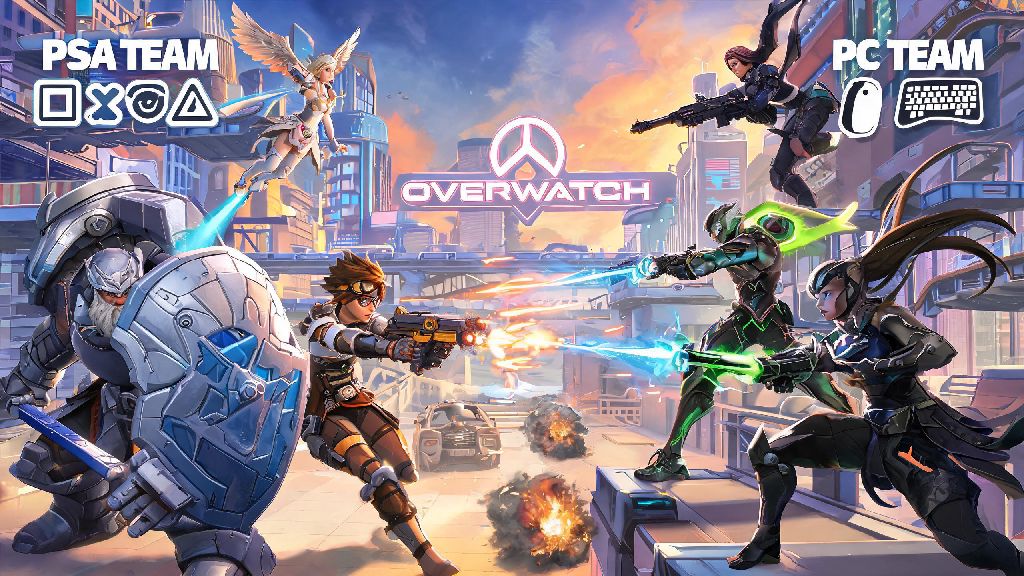
If you’re a PS4 Overwatch player who has friends grinding on PC, you’ve definitely asked can ps4 overwatch play with pc at least once. I remember a few months back I was trying to queue with my roommate who mains Support on his custom PC, and I spent 20 minutes fumbling through account settings before I figured out how to make our group work. Crossplay has come a long way since Overwatch 2 launched, but there are still a lot of confusing rules and limitations that most casual players don’t know about. This guide breaks down exactly how crossplay works between PS4 and PC, what you can and can’t do, and how to make your cross-platform matches as fun and fair as possible.
Can PS4 Overwatch Play With PC? Official Crossplay Rules Explained
First, let’s get the core answer out of the way: yes, crossplay between PS4 Overwatch and PC is fully supported for all game modes except one, as long as you’re playing the current live version of the game (the original Overwatch 1 was shut down in 2022, so there’s no crossplay support for older versions). But there are a few critical rules Blizzard put in place to keep matches fair, especially for competitive play. You also need to have a valid Battle.net account linked to your PSN account to access crossplay features, which is a one-time setup process.
The only game mode that has special crossplay restrictions is Competitive Play. If you’re playing solo competitive on PS4, you’ll never be matched with PC players by default. All solo console players are placed in a separate pool with other PS4, PS5, Xbox, and Switch players to avoid the inherent advantage of mouse and keyboard input. That changes if you group with a PC friend, though. When you join a group with at least one PC player, your entire group will be placed in the PC competitive pool for all matches, even if most of the group is on console.
All other game modes, including Quick Play, Arcade, Custom Games, and co-op missions, have no crossplay restrictions. You can queue with any mix of PS4 and PC players for these modes with no limits on group size or rank, unless you set custom restrictions yourself in a private game lobby.
Step-by-Step Setup To Connect PS4 Overwatch With PC Players
Setting up crossplay only takes 2 to 3 minutes if you have all your account information handy. I recommend doing this before you invite friends to play, so you don’t waste time messing with settings while everyone is waiting to queue. Follow these simple steps to get connected:
If you don’t see your PC friend after sending a request, make sure they have crossplay enabled on their end too. I’ve had friends forget to turn it on after they switched to a new PC, and it caused 10 minutes of confused troubleshooting last time we tried to play. You can also adjust crossplay privacy settings if you don’t want to receive invites from random PC players, which is a good call if you only play with people you know.
You don't need an active PlayStation Plus subscription to play crossplay with PC players if you’re only playing custom or arcade modes, but you do need it for Quick Play and Competitive, same as any other online PS4 game. Keep that in mind if you’re trying to play with friends without an active subscription.
Key Differences To Expect When Playing PS4 Overwatch With PC Players
Even with Blizzard’s balancing efforts, you will notice clear differences when you play crossplay matches with PC players, especially if you’re used to only playing against other console players. These differences aren’t dealbreakers for most people, but it’s good to know what to expect before you jump into a match.
PS4 players get full aim assist when playing against PC players, but it’s not as strong as it is when you’re playing only against other console players. Blizzard adjusted it a few patches ago to balance the advantage PC players get with mouse and keyboard, but it’s still noticeable if you’re used to playing console-only matches. I found it took about 3 to 4 matches to get used to the adjusted aim assist when I first started playing crossplay.
PC players can also make much faster, more precise movements, especially on heroes like Tracer or Genji that require fast flick shots. You might find it harder to hit fast-moving PC players than you do other PS4 players, so I recommend sticking to heroes with higher projectile speed or area damage when you first start playing crossplay, like Soldier 76 or Mei, until you get used to the difference. You don’t have to switch your main, but it can make the transition a lot less frustrating.
One big upside of crossplay is shorter queue times. Queuing with PC players will usually cut your wait time in half, especially for less popular modes like Mystery Heroes or Competitive Open Queue. The PC player base is still larger than the PS4 player base in most regions, so you’ll get into matches much faster when you crossplay. All crossplay matches use the same ping and server rules as standard matches, so you won’t experience extra lag just because you’re playing with PC players, as long as you’re connecting to a server close to your region.
Common Crossplay Issues & Quick Fixes
Crossplay works smoothly most of the time, but there are a few common issues that pop up for PS4 players playing with PC friends. Most of these have super simple fixes that take less than a minute to try, so you don’t have to waste an entire gaming session troubleshooting.
The most common issue I see is PS4 players not being able to invite PC friends to their group, even after they’ve linked accounts and confirmed crossplay is enabled. If that happens to you, the fastest fix is to have the PC player send the invite instead, or restart your game to refresh the friends list. 9 times out of 10 that fixes the problem without any extra work.
If you’re a PS4 player using a mouse and keyboard adapter, you’ll automatically be placed in the PC player pool even if you’re not grouped with anyone on PC. Blizzard detects input devices automatically for crossplay, so you can’t cheat the system to get easier matches against controller-only players. This rule applies to all ranked and unranked modes, so you don’t have to worry about PC players using controllers to get into console lobbies either.
Another common issue is rank disparity blocks in competitive play. If you’re grouped with a PC player who is more than 10 ranks above or below you in competitive, you won’t be able to queue together, same as if you were grouped with another console player. That rule applies across all platforms to keep matches fair, so you’ll have to stick to unranked modes if there’s a big rank gap between you and your PC friends.
If you’re getting matched with PC players when you don’t want to, just go to your settings and turn off crossplay entirely. You’ll only be matched with other PS4 and PS5 players, but your queue times will be longer, especially during off-peak hours. You can toggle crossplay on and off at any time without restarting your game, so you can switch between console-only and crossplay matches whenever you want.
At the end of the day, asking can ps4 overwatch play with pc is just the first step to unlocking a ton of new ways to play the game with friends no matter what platform they use. Crossplay isn’t perfect, and you’ll definitely notice the difference between PC and console play the first few matches, but it’s worth the small learning curve to be able to queue up with people you wouldn’t otherwise get to play with. If you’re new to crossplay, start with Quick Play or Arcade modes first to get used to the faster pace before you jump into competitive matches with your PC friends. You’ll be holding your own against mouse and keyboard players before you know it.