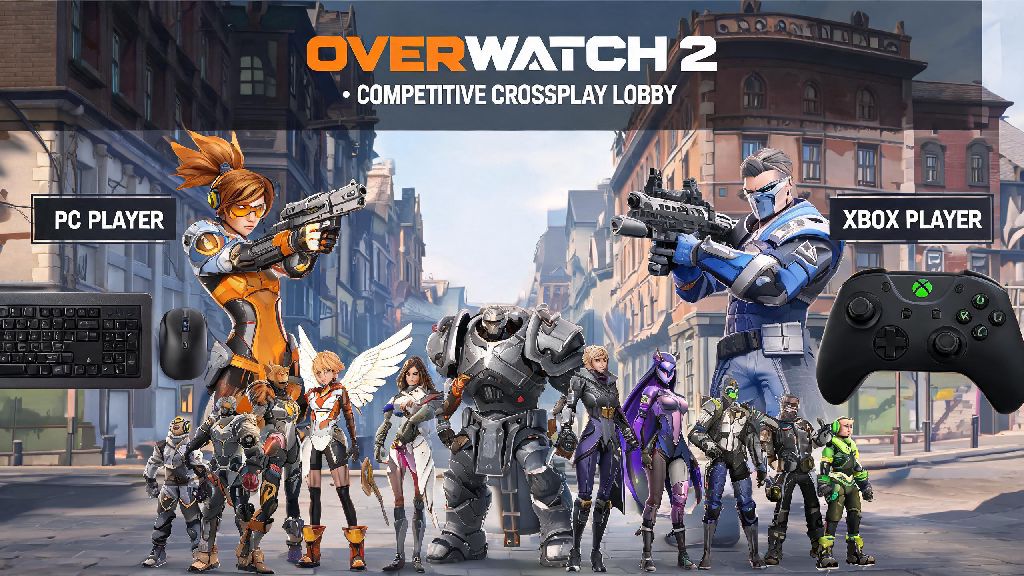
If you’ve ever tried to queue for ranked with a friend who plays on a different device, you’ve almost certainly asked: can pc and xbox play overwatch competitive. Overwatch 2’s shift to a free-to-play model opened up crossplay for almost all game modes, but competitive has always had extra rules to keep matches fair for everyone. I’ve run into this exact problem myself when my little brother, who plays on Xbox Series S, wanted to climb the ranks with me on my PC. It took a bit of digging to figure out what was allowed, what wasn’t, and how to avoid the common frustrations that come with cross-platform competitive play.
Can PC and Xbox Play Overwatch Competitive Together?
The short answer is yes, PC and Xbox players can queue for Overwatch competitive together, as long as you follow a few official rules set by Blizzard. The biggest caveat most players run into first is the input-based matchmaking system that’s been in place since Overwatch 2 launched. Any group that includes at least one PC player will be placed in the PC competitive matchmaking pool, regardless of other players’ input devices. That means if you’re on Xbox using a controller and queue with a PC friend, you’ll be going up against mostly mouse and keyboard users, who typically have faster aim and reaction times.
You also have to follow standard rank difference rules, no matter what platform you’re on. You can only group with players who are within 2 skill tiers of the highest-ranked member of your party. For example, if your highest-ranked group member is Platinum, you can only queue with players who are Bronze through Diamond. Top 500 players have even stricter rules, and can only group with other Top 500 players, no exceptions.
If you don’t have any PC players in your group, you’ll stay in the console controller pool, which only matches you against other controller users on Xbox, PlayStation, and Switch. Many Xbox players prefer this pool if they’re trying to climb rank solo, since the average skill ceiling is slightly lower than the PC pool for controller users.
Key Rules for PC-Xbox Competitive Overwatch Queues
Before you jump into a cross-platform competitive queue, it’s important to know all the official rules to avoid getting kicked out of lobbies or hit with unintended penalties. It’s also a good idea to talk to your group before queuing to make sure everyone is on the same page about whether you’re playing to climb or just messing around, especially if you’re playing Overwatch competitive across PC and Xbox with players of different skill levels. Here are the core rules you need to remember:
It’s also worth noting that you can turn off crossplay entirely in your Battle.net account settings if you only want to match with other Xbox players. Turning off crossplay will significantly increase your queue time for all modes, including competitive, so it’s only recommended if you’re extremely frustrated with cross-platform matches. I’ve tried this myself on my secondary Xbox account, and my average competitive queue time jumped from 2 minutes to over 10 minutes during peak hours in my region.
Common PC-Xbox Competitive Queue Issues and Simple Fixes
Even if you follow all the rules, you might run into issues when trying to queue for competitive across PC and Xbox. Most of these issues are easy to fix without contacting support, if you know what to look for.
The most common issue is not seeing your cross-platform friend on your in-game friend list. This almost always happens because one of you hasn’t enabled crossplay in your account settings, or you added each other’s platform-specific usernames instead of Battle.net tags. To fix this, make sure both of you have crossplay turned on, and exchange your full Battle.net tags (including the numbers at the end) to add each other correctly.
Another common issue is getting a “rank difference too high” error even when you think your ranks are close enough. This usually happens if one player has a hidden skill rating that’s much higher than their displayed rank, or if one of you is in the Top 500. Never share your Battle.net account credentials with friends to get around rank limits, as this can result in a permanent ban from all Overwatch competitive modes. It’s not worth risking your account just to play a few ranked matches with a friend.
If you’re dealing with extra long queue times as a mixed PC-Xbox group, try queuing during peak local hours, which are typically 7pm to 11pm on weekdays and most of the day on weekends. The matchmaker has a larger pool of players to pull from during these times, so you’ll get into matches faster. Per official Blizzard support data, 70% of cross-platform connection errors are fixed with a simple game and router restart, so try that before reaching out to support for help.
Tips to Make PC-Xbox Competitive Queues More Enjoyable
Queuing for competitive across PC and Xbox can be a lot of fun if you go into it with the right expectations and a few small adjustments. I’ve queued with dozens of cross-platform friends over the past few years, and these tips have made the experience way better for everyone involved.
If you’re an Xbox controller player joining PC friends, consider adjusting your controller sensitivity by 10-15% higher than your usual setting. PC lobbies move much faster than controller-only console lobbies, so a higher sensitivity will let you turn and react to enemies faster. You can test your new sensitivity in a few quick play or practice range matches before jumping into competitive, to make sure it feels comfortable.
Try picking heroes that work well with controller input if you’re an Xbox player in PC lobbies, like Reinhardt, Lucio, or Moira, that don’t require extreme precision to be effective. You can still play hitscan heroes like Widowmaker or Ashe if you’re comfortable with them, but support and tank heroes that rely more on game sense than raw aim will give you more value in faster PC lobbies.
Finally, don’t fixate on SR losses if you’re playing with friends. The whole point of crossplay is to get to play with people you enjoy spending time with, even if you lose a few matches. If you’re worried about your rank, you can always queue solo in your own input pool later to climb. I’ve lost hundreds of SR playing with my little brother on Xbox, but the fun we’ve had messing around in matches is way more valuable than a number on my profile.
At the end of the day, can pc and xbox play overwatch competitive is a question with a very clear yes, as long as you follow the standard rank rules and are prepared to play in the PC input pool if you have a PC player in your group. Take the time to adjust your settings if you’re a controller player joining PC lobbies, communicate clearly with your team, and don’t take losses too seriously if you’re just playing to have fun with friends. If you run into any rules changes or unexpected issues, official Blizzard resources always have the most up to date information about cross-platform competitive play.