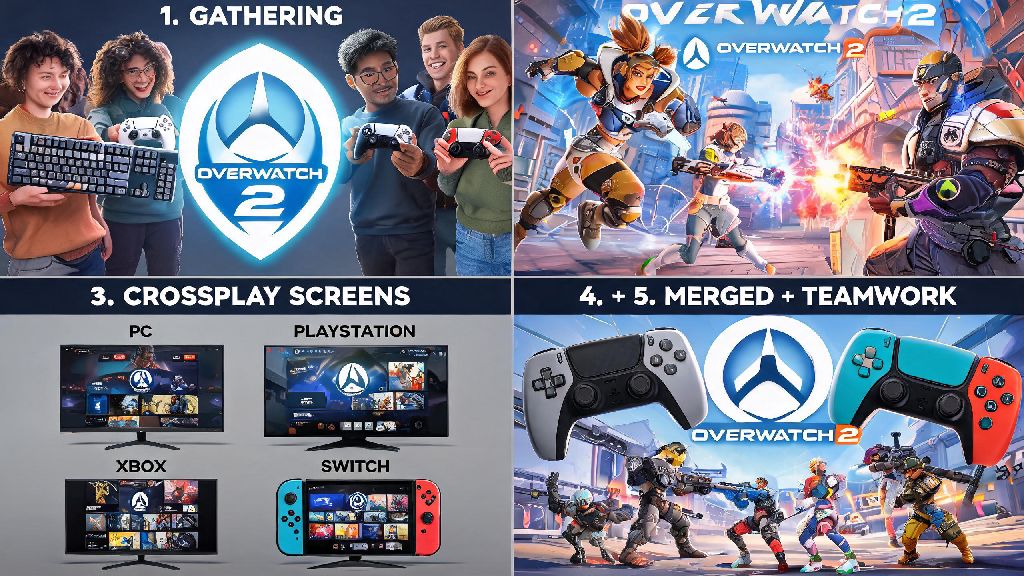
If you’ve ever been ready to queue for a Quick Play match only to realize your go-to group is split between PC and console, you’ve probably asked one very specific question: can pc and console play Overwatch 2 together. It’s one of the most common questions we get from new and returning players alike, especially as more free-to-play players join the game across different devices. This guide breaks down everything you need to know about crossplay support, from setup steps to hidden limitations that can impact your match experience.
Can PC and Console Play Overwatch 2 Together? Official Crossplay Rules
The short answer is yes, full crossplay is supported across every platform Overwatch 2 is available on, including PC (both Battle.net and Steam versions), PlayStation 4 and 5, Xbox One and Series X/S, and Nintendo Switch. Blizzard rolled out universal crossplay support shortly after the game’s free-to-play launch, and it’s enabled by default for all new accounts. Crossplay is available for all game modes, from casual Arcade matches to high-stakes Competitive play, so you don’t have to stick to custom games to play with friends on other platforms.
I’ve been queuing with a group of friends split between PC, PS5, and Switch for over a year now, and the only major hiccup we ran into early on was one friend who accidentally had crossplay disabled in their settings. The only other rule to note upfront is that all players need a linked Battle.net account to access crossplay features, which we’ll cover in more detail next.
Step-by-Step Setup for Crossplay Between PC and Console
Getting crossplay up and running takes less than five minutes for most players, as long as you follow the right steps. You don’t need any special software, and the process is the same no matter what combination of platforms your group uses:
That’s all there is to it. You don't need to pay for any extra subscriptions to use crossplay, though console players will still need their platform’s standard online membership (PS Plus, Xbox Core, etc.) to access online multiplayer as they would for any other game.
Key Differences Between PC and Console Overwatch 2 Matches
While crossplay works seamlessly for the most part, there are a few key differences between PC and console play that you should be aware of before you queue as a mixed group. The biggest difference comes down to input: PC players almost universally use mouse and keyboard, which offers far faster and more precise aiming than a controller.
To balance this difference, Blizzard has separate matchmaking pools for controller and mouse/keyboard inputs. But when you queue as a group with both PC and console players, the entire group is placed in the mouse/keyboard matchmaking pool. Console players in mixed PC-console groups lose aim assist to level the playing field against mouse and keyboard users, which can be a huge adjustment if you’re used to playing only with other controller users. I’ve seen console friends drop two full skill divisions in their first few Competitive crossplay matches because they weren’t prepared for the lack of aim assist, so it’s always a good idea to run a few Quick Play matches first to get used to the change.
Another difference to note is performance: Most mid-to-high end PCs can run Overwatch 2 at 144 frames per second or higher, with much lower input lag than even the latest console hardware. That doesn’t give PC players an unfair enough advantage to break matchmaking, but you might notice a small difference in how responsive your character feels if you switch between PC and console regularly. The good news is cross-progression is fully tied to your Battle.net account, so all your skins, battle pass progress, and rank carry over across all platforms you play on, no extra work needed.
Pros and Cons of Playing Overwatch 2 Across PC and Console
Crossplay opens up a ton of flexibility for Overwatch 2 players, but it’s not without tradeoffs depending on your playstyle and goals. Let’s break down the biggest upsides and downsides to help you decide if crossplay is right for you:
The biggest upside is obvious: You can play with all your friends no matter what platform they own, no need to buy multiple copies of the game or upgrade your hardware to join the group. You can also switch between platforms whenever it’s convenient, like playing on PC when you’re at your desk and Switch when you’re traveling for work, without losing any of your progress. You can disable crossplay at any time if you don’t want to play against players on other platforms, though this will usually increase your queue times, especially for less popular modes or higher Competitive ranks.
The main downside for console players is the lost aim assist when grouped with PC friends, which we already covered. You also might run into more smurf accounts on PC than you would in console-only queues, though Blizzard has been cracking down on smurfing aggressively in recent updates. On the plus side, crossplay voice chat works across all platforms by default, so you don’t need to use third-party apps like Discord to talk to your friends during matches, which is a huge quality of life win compared to many other multiplayer games.
At the end of the day, the answer to can pc and console play Overwatch 2 is a resounding yes, with very few barriers to getting started. The crossplay system is well-built for the most part, and the small tradeoffs like lost aim assist for console players in mixed groups are easy to adjust to with a few practice matches. If you’ve been holding off on queuing with friends on other platforms, there’s no better time to link your accounts and jump into a match together. Just remember to test out Quick Play first if you’re switching between input types, so you don’t throw off your Competitive rank before you’re comfortable.