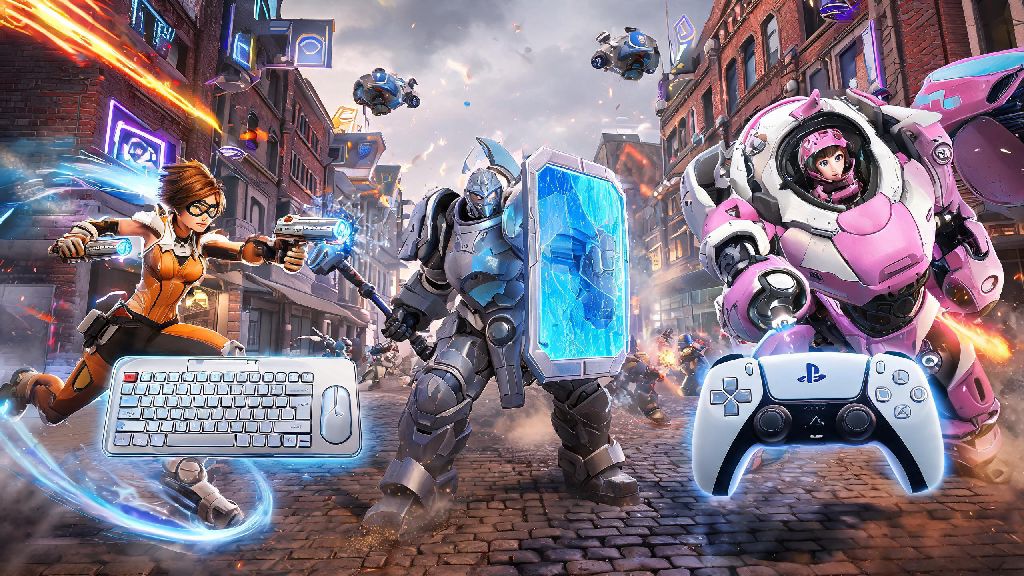
If you’re a PS4 Overwatch player who’s got friends grinding the game on PC, you’ve almost certainly asked: can Overwatch PS4 play with PC? Crossplay has been a game-changer for most modern multiplayer titles, but it’s not always as straightforward as it sounds, especially for fast-paced hero shooters where input method can make a huge difference in performance. I’ve tested crossplay across every Overwatch platform over the last two years, so I’m breaking down exactly what works, what doesn’t, and how to get your cross-platform group running smoothly.
Can Overwatch PS4 Play With PC? Official Crossplay Rules
The short answer is yes, but there are a few key restrictions you need to know before you invite your PC friends to your lobby. Blizzard rolled out full crossplay support for all Overwatch 2 platforms back in 2022, and that support has stayed consistent through all recent seasonal updates. That means PS4 players can queue for unranked, arcade, and custom game modes with PC players with no extra hoops beyond enabling crossplay in your settings.
But there’s one big exception: ranked crossplay between console and PC is disabled by default, and you can’t turn it on for standard competitive queues. Blizzard made this call to keep ranked matches fair, since mouse and keyboard input gives PC players a huge accuracy advantage over controller users on PS4. I’ve seen groups get frustrated when they try to queue for ranked together only to get an error message, so make sure you’re picking the right game mode if you’re playing across platforms. If you’re playing the original Overwatch? That’s no longer supported, so you’ll need to update to Overwatch 2 to access crossplay features at all.
How to Set Up Crossplay Between PS4 and PC Overwatch
Setting up crossplay only takes a few minutes, but there are a couple of steps you might miss if you’re doing it for the first time. First, you’ll need to link your Battle.net account to your PSN account if you haven’t already. You can do this either through the Battle.net website or directly from the Overwatch menu on your PS4 when you first launch the game.
Once your accounts are linked, follow these steps:
If you’re running into issues sending friend requests, make sure both of you have your crossplay visibility set to “Public” in your privacy settings. I’ve had multiple friends spend 20 minutes troubleshooting invites only to realize they had their profile set to console-only friends. If you want to tweak your input settings before playing with PC players, you can check out official controller optimization tips for Overwatch to level the playing field a bit. Even small adjustments to aim assist and dead zones can make a huge difference when you’re going up against mouse and keyboard users.
Key Differences to Expect When Playing PS4 Overwatch With PC Players
Even with aim assist turned up, you’ll notice a few clear differences when you’re in a crossplay lobby with PC players, and it’s good to set expectations before you queue. First, PC players will almost always have faster reaction times for precise aiming, especially on hitscan heroes like Cassidy or Widowmaker. That doesn’t mean you can’t hold your own as a PS4 player, but you might want to pick heroes that rely less on raw aim, like Reinhardt, Lucio, or D.Va, if you’re struggling to keep up.
Another difference is load times: PS4 load times are noticeably slower than most modern gaming PCs, so don’t be surprised if you’re the last one into the spawn room at the start of a match. Your group won’t be able to queue until everyone has loaded into the lobby, so you might want to skip closing other apps on your PS4 if you’re playing crossplay to speed things up. You’ll also notice that crossplay lobbies have a small cross-platform icon next to each player’s name, so you can easily tell who is on PC and who is on console at a glance. One thing I really appreciate is that Blizzard doesn’t force you into crossplay lobbies if you don’t want them: you can turn off crossplay entirely in your settings if you’d rather only play against other PS4/PS5 players.
Tips to Make Crossplay Between PS4 and PC More Fun
Crossplay is supposed to be a way to play with friends regardless of what platform they’re on, so don’t let the input gap ruin your time. First, stick to casual game modes first before you try more competitive arcade modes like Competitive Mystery Heroes or No Limits. Unranked queues have much looser skill matching, so you won’t get steamrolled by top 500 PC players as often.
Another tip is to use in-game voice chat instead of party chat if you can: PS4 party chat works fine, but in-game chat lets you communicate with the rest of your team too, which makes coordinated plays way easier. If you’re the PC player in the group, don’t tease your PS4 friends for lower accuracy: controller aim is never going to match mouse and keyboard, and the whole point of playing together is to have fun, not to grind for the highest kill count. Custom game modes are perfect for crossplay groups too, because you can tweak settings to even the playing field. For example, you can turn up aim assist for controller users, or limit PC players to projectile heroes only to remove the hitscan advantage. I’ve run dozens of custom crossplay lobbies with my mixed platform friend group, and those are always the most fun matches we play.
At the end of the day, if you were wondering can Overwatch PS4 play with PC, the answer is a resounding yes, as long as you stick to non-ranked queues and have your accounts linked properly. Crossplay is one of the best additions to Overwatch in years, because it means you don’t have to buy a new console or a gaming PC just to play with your closest friends. Don’t let the input difference scare you off: with a few small setting tweaks and the right game mode picks, you’ll have just as much fun playing crossplay as you would playing with other PS4 users. Next time you log on, send that friend request to your PC friend and jump into a quick play match – you won’t regret it.